


When looking for budget VPS hosting, you have to wade through affordable options that hide excessive server load, CPU sharing, and automated support behind low pricing.
Memory is capped hard on each node to guarantee it for your workload.
We keep density down so your workload gets the resources you paid for, not an artificially watered-down share. And because we use KVM virtualization with a separate kernel per VPS, shared hosting simply can't match the isolation you need.
We try to explain what makes affordable VPS hosting different from cheap, nearly equal alternatives.
We cover what network quality means in this context and how even a small VPS provider like us can deliver enterprise datacenter infrastructure at affordable prices.
What is cheap VPS hosting and who actually needs it
A Virtual Private Server (VPS) sits between shared hosting and a dedicated server, running your website in a separate environment with guaranteed RAM, CPU, and storage.
First month $1
Then the normal monthly price. One per customer. No setup fee, and a 30-day performance guarantee on your first order.
See the plans“Good servers, thanks.”
Who actually needs a cheap Linux VPS
The typical buyer is very technical. They could be a developer creating a staging environment, a small business or agency using a VPS provider to deliver services to clients on their websites, or even an online business that typically runs on Linux. Also, people with small teams that host game servers, or internal tools that grew out of shared space hosting. Many online businesses choose VPS hosting because it offers the control and performance needed to scale applications without the overhead of dedicated infrastructure.
Technical users often prefer VPS environments because they can customize server configurations, install specialized software stacks, and optimize performance parameters that shared hosting platforms typically restrict. Many agencies rely on VPS infrastructure to host multiple wordpress sites for clients, benefiting from the isolation and dedicated resources that prevent one site's traffic spike from affecting others.
Cheap linux VPS hosting is ideal for people who are working from the command line and don't need the stack to be managed for them. Cheap unmanaged VPS hosting gives you full root access to the server and you can set up the OS exactly as you require.
Unmanaged vs managed: self-qualify early
The cheap VPS options that I’m familiar with are typically unmanaged.
We offer Managed VPS plans with hands-on server administration support, more expensive, but useful if your team lacks Linux sysadmin skills.
BuyVPS as your managed VPS hosting provider
Our affordable Linux VPS servers are distributed on KVM-based virtualization platforms and each VPS gets its own kernel.
Our Standard tier of VPS hosting offers full root access and comes with IPv4/IPv6 dual-stack on every server. Once you’ve determined that you’re even in the right category for a cheap VPS, you then have to figure out what makes a cheap. Entry-level VPS going to perform well for you versus one that’s going to drop the ball under load.
What separates good budget VPS plans from bad ones
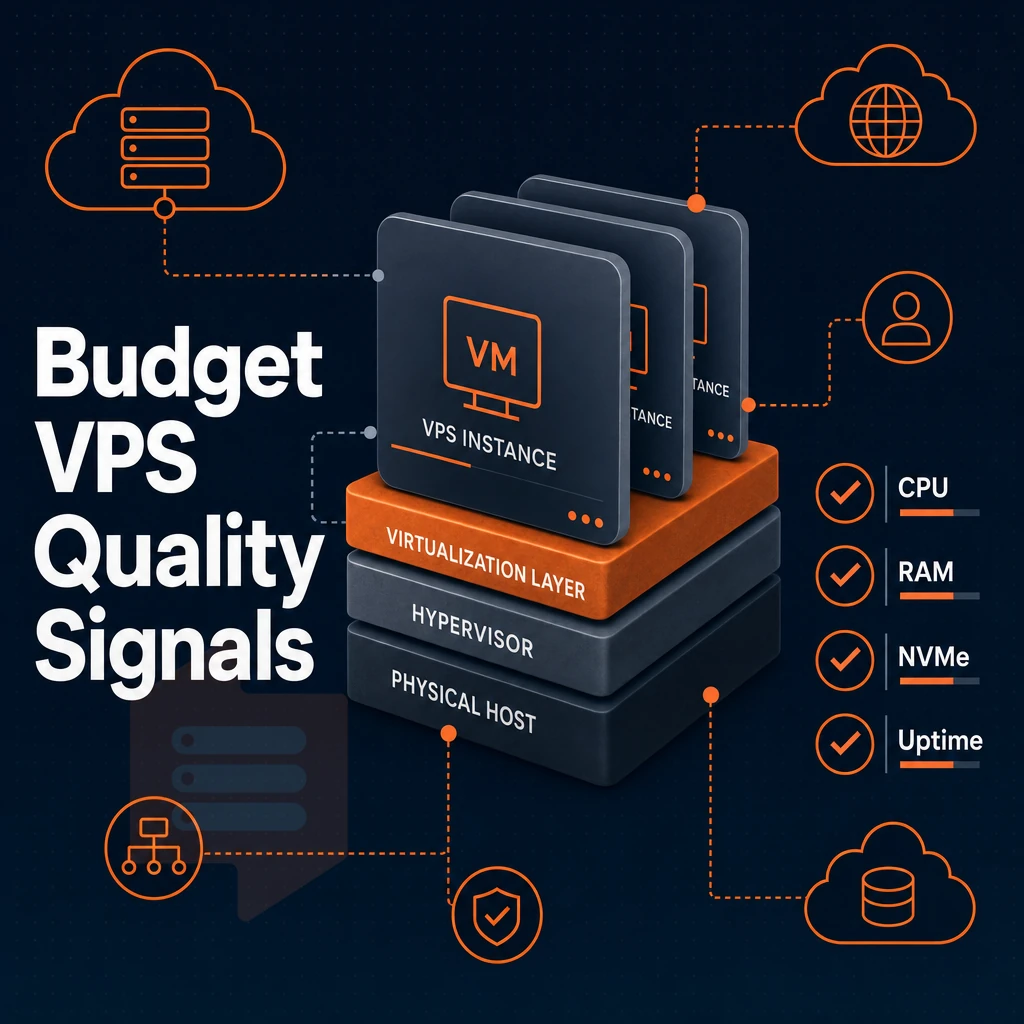
It’s not all created equal. While many cheap VPS plans offer poor performance, the best ones offer a lot of value for their price. Typically, several critical decisions are made at the infrastructure level, and you won’t typically read about them in a marketing blurb.
The best low cost providers invest in quality hardware and maintain reasonable node density, ensuring consistent performance even at budget price points. Selecting a reputable VPS hosting provider with transparent resource allocation policies helps you avoid performance pitfalls common in oversold environments.
Budget Linux VPS providers infrastructure checklist
Overselling is by far the biggest performance killer of them all. To avoid starving every customer on your nodes of CPU and RAM, implement hard memory caps and keep the node density low. On top of that, linux VPS providers that offer dedicated resources running on a KVM-based hypervisor (each VPS gets its own kernel) will rapidly decrease the impact of noisy neighbors for your customers.
The storage tier also plays a large role in the IOPS numbers. Measured 4K random read IOPS on a RAID10 NVMe SSD storage system reach into the six figures. That is far above what can be achieved with a system that uses spinning disk or even older SATA SSDs. For databases, for caches, for workloads that generate a lot of random I/Os, NVMe storage is a must.
What a good VPS provider looks like
A good baseline for features to run applications would be KVM virtualization, full root access, load balancers, and a control panel to self-manage servers plus API access to automate tasks. DDoS protection by edge filtering should be included at all tiers. 99.8% SLA for uptime is a real commitment, “high availability” is just fluff.
Modern anti ddos protection filters malicious traffic at the network edge before it reaches your VPS, preserving application availability during volumetric attacks. Reliable providers also include automatic backups in their feature set, ensuring your data remains recoverable without manual intervention or additional scripting overhead.
| Criterion | Strong signal | Weak signal |
|---|---|---|
| Virtualization | KVM, separate kernel per VPS | Container-based (OpenVZ/LXC) |
| Storage | NVMe RAID10, PCIe direct | Spinning disk or SATA SSD |
| Overselling | Hard memory caps, low node density | No published node limits |
| Uptime SLA | 99.8% or higher, stated in writing | Vague "best effort" language |
Support quality and the Linux VPS provider decision
Strong support quality means tickets get answered by actual engineers, not by reading from a scripted first-tier response. Good VPS performance is useless if you can’t get help quickly to diagnose problems. At BuyVPS, every ticket gets dispatched to an actual engineer in our Amsterdam or New York infrastructure. Choosing a provider with reliable support ensures your infrastructure issues are resolved by knowledgeable staff who understand your specific deployment requirements.
Providers that combine technical expertise with responsive support can resolve outages and configuration issues before they escalate into costly downtime. When incidents occur outside business hours, having access to expert support can mean the difference between a brief disruption and extended downtime that impacts revenue.
Managed VPS vs unmanaged VPS: choosing the right support model
Web hosting support models from any VPS hosting provider, whether traditional shared plans or cloud VPS setups, determine things like how much work is required to maintain your application, how much you have to spend, and what kind of risk you take on by running servers. There are managed and unmanaged options to support, and each is better for different types of companies. When evaluating linux VPS providers, compare their support tiers carefully because response times and engineer availability vary widely across the market.
Assess your technical baseline for unmetered bandwidth
-
Audit your in-house skills for unmetered bandwidth needs
Unmanaged hosting hands you a bare Linux (or Windows VPS) environment with full root access. You own every update, firewall rule, and configuration decision. If your team can't administer a Linux server confidently, unmanaged is the wrong starting point. Successful unmanaged hosting requires solid technical knowledge of system administration, security protocols, and troubleshooting procedures to keep your environment stable.
-
Map your available time.
Server management is an ongoing commitment, not a one-time setup.
Match the model to your workload
-
Choose managed VPS plans for production workloads without a dedicated sysadmin.
Managed services typically cover OS patching, security hardening, and server backups.
Note: Confirm exactly what "managed" includes before signing up. Some providers limit scope to OS updates only and charge extra for application-level support.
-
Choose unmanaged VPS plans for developers and technical teams.
Technical expertise unlocks the full value here.
Verify the fit before you commit
-
Review the support scope in writing.
For managed tiers, check whether monitoring, incident response, and application support are included or billed separately.
-
Test the support channel.
Send a pre-sales technical question.
Now that we have described the support model, we can drill into the details of the features and specifications that hosting providers offer through their data centers and how they translate to customer benefit.
Key specs to compare across cheap Linux VPS hosting plans

Not all cheap Linux VPS plans are created equal. Many hosts hide things in the fine print, like CPU throttling after a burst window.
Or that your storage is a SATA drive, despite being advertised as SSD.
Core spec checklist for any Linux VPS provider
Look for a hard memory cap per node that guarantees the GB RAM you allocated will always be available to it.
Storage is also important. NVMe storage connected via a PCIe-direct bus is far better than storage connected via a SATA bus. BuyVPS has published fio-benchmarks for their storage. The numbers are real and impressive: 122,959 4K read IOPS for example. Also have a look at the GB of NVMe storage offered and ask if the array is protected with RAID10.
The biggest difference between shared and dedicated CPU plans is the type of CPU provided, and how the available vCPUs are used in virtual instances. Shared vCPU plans pool all available vCPUs from all tenants on the physical machine, while a dedicated CPU plan simplifies server management by assigning 1 or more physical CPU cores exclusively to your instance. This difference is particularly notable for extremely latency sensitive applications and services.
Unmetered bandwidth and traffic policies
Some services advertise “unmetered bandwidth” but restrict the port speed to 100 Mbps.
Scalable resources and add-ons
Find out if a plan supports scalable resources without IP change and data migration.

This check confirms whether serious Linux workloads like Ubuntu, Debian, AlmaLinux, and Rocky Linux on nvme ssd storage, plus customer-specific ISO images, are supported.
Look closely at the data centers of potential providers. For the same price, a few well-engineered centers are better than many poorly powered locations. We run our centers in Amsterdam and New York, identical hardware and network configuration in both places.
Demanding the right specs from data centers is only half the battle; knowing how hosting providers package those specs into different tiers and what they do at renewal time is the other half.
How top hosting providers structure their VPS tiers
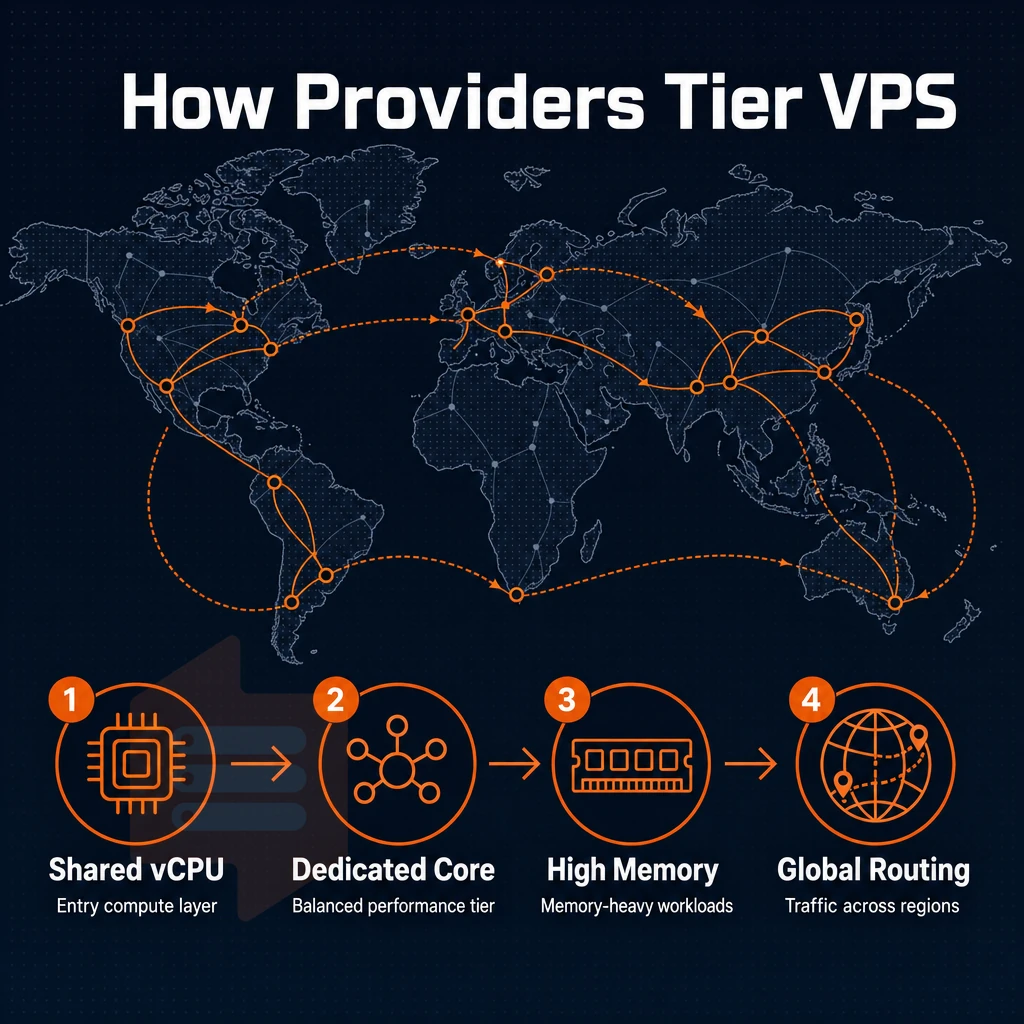
Most VPS hosting providers will have 3 tiers of service: a low-end shared vCPU plan, a mid-range dedicated-core plan, and a high-memory plan. Finding out how they price these tiers and what their renewal policy is like is important to read before you sign up.
How hosting providers tier their VPS plans
The lowest tier offered by any VPS hosting provider uses shared vCPU resources, best suited for low-volume sites like simple WordPress installations or test servers.
The high-memory tier a VPS hosting provider offers flips this ratio to provide a small number of CPU cores but a vastly increased amount of RAM, ideal for applications that run in memory such as in-memory databases and data analytics.
Some providers include free migration or unlimited traffic in their entry-level plans in order to distinguish their best VPS offerings from the very cheap est ones aimed at a budget-conscious audience.
Hourly billing vs. Monthly commitments
Cloud VPS platforms usually charge hourly. This makes sense for short-term workloads like load testing, continuous integration / delivery pipelines, and throwaway development environments. The effective monthly rate is higher than with fixed pricing and it never locks.
Annual or multi-year terms are typically offered with substantial discounts.
Best VPS value: what renewal practices reveal
Even many cheap webhosting services tend to hike the price for renewal, although sometimes only after a couple of years.
Additionally, We don’t charge any hidden fees, as opposed to shared hosting that often uses bait-and-switch prices.
Cheap VPS provider comparison: features side by side
When it comes to the cheapest VPS hosting, the headline price is rarely the whole story. The best VPS provider option typically depends on a combination of factors including the 'SPEC' (servers, processors, email storage etc.), the 'SUPP' (Support model), and 'NET' (Network quality). Here’s a quick rundown of the main types.
Feature comparison: budget, dedicated-core, and high-memory VPS
| Dimension | Budget shared-vCPU | Dedicated-core VPS | High-memory VPS |
|---|---|---|---|
| Virtualization | KVM or OpenVZ | KVM virtualization, pinned cores | KVM, high RAM-to-core ratio |
| Storage | SSD storage (SATA) | NVMe SSD storage, RAID10 | NVMe RAID10, large volumes |
| Bandwidth policy | Shared, often capped | Generous monthly transfer | High transfer, multi-TB |
| Root access | Varies by provider | Full root access, every plan | Full root, custom ISO |
| Anti-DDoS protection | Basic edge filtering | Edge filtering + abuse-policy firewall | Edge filtering + abuse-policy firewall |
| Server locations | Single region typical | Amsterdam + New York (BuyVPS) | Amsterdam + New York (BuyVPS) |
| Managed vs unmanaged | Often managed (limited control) | Unmanaged, engineer support | Unmanaged, engineer support |
| Control panel | cPanel or proprietary | Self-service panel + API | Self-service panel + API |
| Cost tier | Lowest entry point | Mid-tier, predictable cost | Premium, memory-optimized |
SSD storage and compute: where cheap VPS hosting diverges most
Budget shared-vCPU VPS plans on SATA SSDs with noisy-neighbor CPU scheduling aren't our thing. Our Dedicated-core VPS plans eliminate both problems, we measure 122,959 4K read IOPS on our BuyVPS dedicated-core VPS plans.
High-memory plans are optimized for managed databases and in-memory caches.
Choosing the right Linux VPS solution
Match a workload to an archetype. A developer staging environment would fit into a shared-vCPU plan from any reliable VPS provider, whereas a production API or e-commerce environment would require pinned cores, ddos protection, and a proper control panel. BuyVPS has two locations (Amsterdam and New York) with identical hardware and a 99.8% uptime SLA.
Below you'll find the archetypes from above mapped to real workloads people purchase with a budget VPS in mind.
Common use cases for budget VPS space
Virtual private servers are used for far more than just web hosting. The following workloads are some of the most common scenarios for which people search for budget VPS space, and they require different sets of specifications.
Best cheap VPS hosting workloads by resource profile
- WordPress sites: WordPress hosting needs at least 1 GB RAM and fast NVMe storage. Plugins and themes add overhead quickly. On unmanaged plans, you configure the LEMP stack yourself, no bundled tooling.
- Development environments: Isolated VMs let teams reproduce production conditions without touching live infrastructure. A 2 vCPU, 4 GB RAM node handles most build and test workloads comfortably.
- Game servers: Latency is everything. Choose a node geographically close to your players, Amsterdam for Europe, New York for the US East Coast. CPU clock speed and low node density matter more than raw storage.
- Small-agency web hosting: Hosting five to ten client sites on one VPS is cost-effective. Separate them with virtual hosts and enforce resource limits per site to prevent one site from starving others.
Server setup for automated backups and ci/cd
- Automated backups: Schedule nightly snapshots with
rsyncorrestic. Store server backups off-node, a second VPS in the alternate region works well. Verify restores monthly, not just the backup job itself. - CI/CD pipelines: A Linux VPS running a self-hosted runner keeps build minutes predictable and private. Allocate at least 4 GB RAM for parallel jobs. NVMe storage cuts artifact write times significantly.
Note: Competitors advertising best cheap Linux VPS plans sometimes bundle managed databases or one-click WordPress installers. On a self-managed VPS, those require manual server setup, factor in that configuration time before choosing a plan. Those use cases point to a clear set of requirements; here is how BuyVPS meets them specifically.
Why choose BuyVPS for cheap Linux VPS hosting
Most cheap Linux VPS hosting options cut corners on RAM allocation, storage throughput, or support quality. BuyVPS doesn't. We enforce hard memory caps and low node density, your GB RAM stays yours under real load.
- KVM virtualization with a separate kernel per VPS, true isolation, not a shared container stack.
- NVMe RAID10 PCIe-direct storage, published benchmark: 122,959 4K read IOPS (fio median). Fast NVMe SSD storage across every plan.
- Dedicated CPU tier with pinned cores, predictable latency for workloads that can't share CPU time.
- Full superuser access and custom ISO on every plan, deploy any Linux distribution, any stack.
- Data centers in Amsterdam and New York, identical hardware, identical pricing, IPv4 + IPv6 dual-stack.
- No renewal hike, ever, same price in year five. In-place upgrades with no IP rotation.
Three VPS plans cover the range: Standard CPU (shared vCPU), Dedicated CPU (pinned cores), and High Memory. Engineer-staffed support, not chatbots, backs every tier. If you're evaluating economy VPS hosting for a Linux workload, compare our plans at BuyVPS.com or reach the team at support@buyvps.com. If you know BuyVPS fits the bill but aren't sure which plan to pick, the next section walks you through that decision step by step.
How to pick the right cheap VPS plan for your workload
The four simple questions to choose the cheapest VPS that suits you best.
Assess your resource requirements first
For a lightweight WordPress site or small API server, we recommend 2-4GB of RAM and 40-60GB of NVMe storage.
You then need to choose the CPU type. While shared vCPU is fine for occasional or low volumes of activity, real-time processing, game servers, and high-latency query workloads will require dedicated resources like pinned CPU cores to avoid noisy-neighbor issues.
Match the plan to your operational profile
Is managing an unmanaged server within your comfort zone? If so, you can get full root-level access across data centers and choose from a wide selection of Linux distributions such as Ubuntu, Debian, AlmaLinux, Rocky Linux and many more. If not, then you have to factor in the costs of the managed services.
We’re based in Amsterdam and New York.
If you are running a public-facing workload on the best cheap linux VPS you can find, DDoS protection at the network edge is a non-negotiable feature, and just like unmetered bandwidth, make sure it's included in your plan, not something you have to pay extra for.
Migration, support, and the hidden switching costs
Free migration is often promoted by other providers.
Last but not least, make sure to verify the quality of technical support before you commit.
Note that “budget VPS hosting” is not a single tier of service. It can include shared vCPU plans with nvme ssd storage for low-traffic sites, as well as fully dedicated core VPS plans for production databases and latency-sensitive applications.
The three most important specs to check when comparing budget VPS plans across data centers are CPU isolation, storage type, and whether the provider enforces hard memory limits on the plan.
Another important aspect is the support model. If you want full control over your server and lowest possible overhead then an unmanaged VPS is the way to go. If your team is more valuable than they would be configuring and managing servers then a managed support model is likely a better fit for you and you can compare plans based on that.
If you want a no-oversell KVM VPS with AMD EPYC hardware, NVMe RAID10 storage, and engineer-led support, deployed in Amsterdam or New York, explore BuyVPS plans and find the tier that fits your workload.