

Cheap storage VPSes with good NVMe throughput and fixed storage sizes (as opposed to variable “unlimited” storage which gets less performant as more storage is used) are harder to find than their pricing pages suggest.
Most providers use cheap shared spindle storage to make their initial pricing look cheap while hiding the true margin in the small print.
Storage VPS deals often come with fine print.
In addition to these basic factors, we will describe how different applications such as database driven applications, backup stores, media processing streams and high-read analytics stores map to specific storage configurations. In the end, you will have a set of criteria with which to measure supposedly budget storage VPS es against each other, rather than blindly trusting vendor ad copy.
First, we will explain what storage VPSes are and how they handle your data. Understanding these technical distinctions helps you align storage infrastructure with your business requirements and avoid costly mismatches between application needs and server capabilities.
What is a storage VPS with DDoS protection and how does it work?
A storage VPS is a type of Virtual Private Server that has been optimized for high storage instead of CPU and RAM. While a regular VPS has been balanced to provide sufficient CPU and RAM as well as disk space, a storage VPS has been adjusted to provide as much disk space as possible. Additionally, Therefore less CPU and RAM, in order to use the server for backup storage, for storing media and other data intensive applications.
First month $1
Then the normal monthly price. One per customer. No setup fee, and a 30-day performance guarantee on your first order.
See the plans“Good servers, thanks.”
https://www.youtube.com/watch?v=hIsmHK1crYg&pp=ygURY2hlYXAgc3RvcmFnZSB2cHM%3D
What HDD storage VPS hosting actually delivers
Storage VPS hosting is offered as KVM virtualization. Every VPS instance gets its own kernel and control panel, and is fully separated from other instances. Hence, full root access to the VPS and all software installed on it is granted to the customer. In contrast to shared hosting where disk space, CPU power and RAM are shared by dozens of customers, Storage VPS hosting is a truly dedicated solution for your projects.
Storage VPS offers lower egress fees than cloud storage
Cloud storage services like Google Drive or Dropbox are examples of object storage offered to end consumers as online services accessed via APIs or web browsers. A storage VPS is offered as a real filesystem which can be mounted, accessed via SSH and has root access. This VPS offers the flexibility to install all sorts of daemons and backup agents as needed.
When object storage infrastructure isn't enough
Object storage is typically best suited for static assets that only require the occasional read. For workloads that require a POSIX file system, database writes, or custom retention policies, a storage VPS is the way to go.
It provides the same functionality as dedicated storage while providing sufficient CPU and RAM to run the application that manages the data. After determining what a storage VPS can do for you, you will also have to select the underlying hardware. This data-driven decision has a much greater impact on performance than most people expect.
Unlike traditional virtualization layers that abstract resources, a storage VPS runs directly on physical hardware configured specifically for high-throughput data operations. The control plane software exposes APIs for snapshot management, automated backups, and monitoring hooks that integrate with standard observability tools.
How much storage and DDoS protection do you actually need?
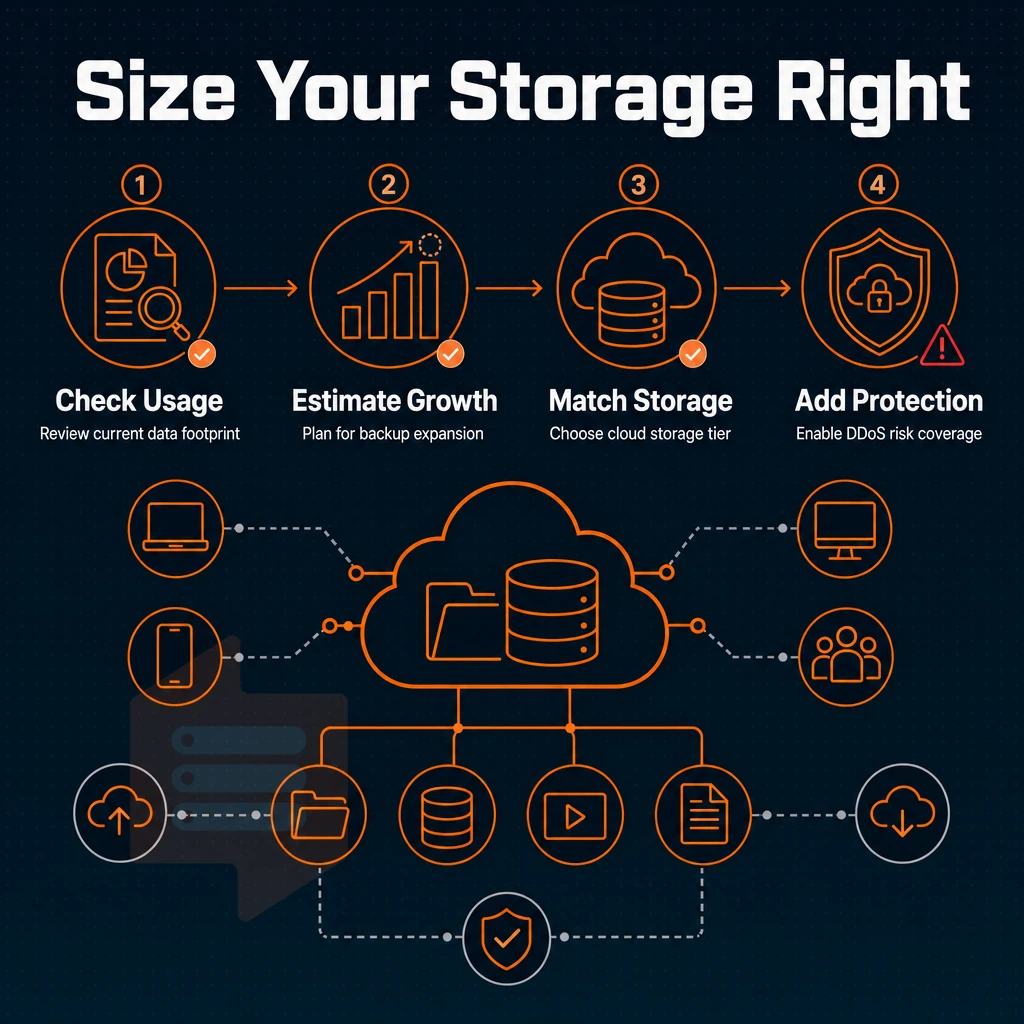
Determine your effective data size by going through these steps in your control panel prior to ordering. Choosing the right storage tier starts with knowing your actual data volume. Historical archives and compliance datasets often grow incrementally over years, so measuring current usage prevents over-provisioning while leaving headroom for retention schedules. Test your application under realistic load patterns to validate that your chosen tier supports the required throughput and concurrency before finalizing configurations. Transactional workloads that write frequently to databases benefit from measuring both peak and sustained IOPS during evaluation, since burst credits can mask underlying performance limits.
Separating hot data that requires low-latency access from cold archives allows you to allocate faster storage tiers where they deliver the most value. Initial configuration and setup should account for both current requirements and anticipated growth to avoid costly migrations later. Storing frequently accessed application logs separately from long-term archives ensures that real-time monitoring tools maintain low query latency without competing for IOPS with background retention jobs. Planning for capacity growth means evaluating not only your current dataset but also the rate at which new records, logs, or media files accumulate each month.
Storage wars: how much storage does each workload need?
- Media libraries: Catalog your files. Raw video and high-res images consume storage fast, a few hundred gigabytes is a realistic floor for active media libraries. Compressed or thumbnail-only caches need far less.
- Databases and archives: Measure your current database dump size, then multiply by three to account for growth and index overhead. Archive storage for older records adds on top of that.
- Backups and offsite copies: Plan for at least two full backup generations plus daily incrementals. Offsite copies of a 50 GB working dataset can quietly consume more disk space than the live data itself.
- Linux ISOs and game servers: Linux ISOs are small individually, but game servers can balloon quickly. A single game server installation often needs 20-80 GB of storage space before player data is added.
Sizing and choosing your plan with backups
- Add a 30% headroom buffer. Storage tends to fill up faster than anticipated. In tight buying scenarios, it’s best to migrate as soon as possible.
- Matching workloads with tiers. High-IOPS workloads need to be on NVMe storage, while cold archives can be on slower storage. Dedicated servers are better for teams that need full hardware virtualization. A well-configured VPS, on the other hand, usually is cheaper than a dedicated server for most workloads.
Note: Do not conflate raw capacity with performance. A large-but-slow volume will bottleneck database writes even when gigabytes remain free. Before you plan to commit to any databases, check both the size and the IOPS rating. Knowing your capacity requirements makes it easier to match them against the real-world use cases a storage VPS handles best. Profiling your application's read-write patterns reveals whether your workload is data-heavy on sequential scans or random access, which directly informs the storage tier you need.
Common use cases for cheap storage VPS hosting
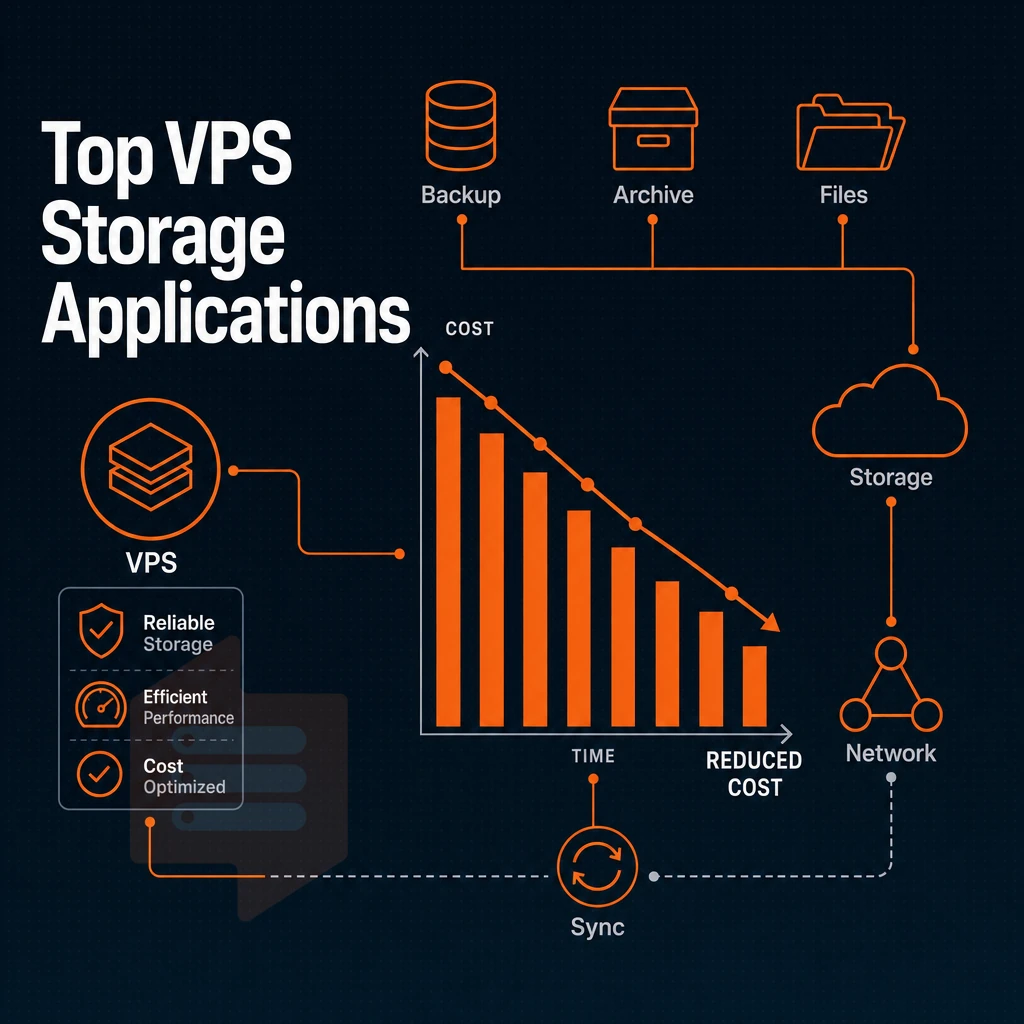
low-cost storage VPS’s are better for storage-intensive workloads than fast CPUs because they allow for lots of storage, good I/O, and low transfer costs. They’re better than shared hosting or very large public cloud instances. Small to medium-sized business operations benefit from this approach because predictable monthly costs and consolidated infrastructure reduce both capital expenditure and administrative overhead.
Backup servers and self-hosted cloud storage on dedicated servers
Automated offsite backups require a remote site that can write large sequential files without choking. A storage VPS is perfect for this: install rsync, Restic, or Borgbackup and set up your cron jobs to backup to the server. This is also where self-hosted alternatives to Google Drive such as Nextcloud and Seafile shine, offering a single flat server cost versus per-seat SaaS charges.
Virtual private server hosting for media libraries and large datasets
Bulk storage with occasional large transfers (e.g., plan for media archives, game server asset bundles, or analytics data) can be cost effective given a generous bandwidth allowance. Bulk data in public cloud is typically charged at egress rates per gigabyte, and this cost multiplies quickly. A fixed-rate VPS plan removes this variable from consideration.
Unlike the unpredictable pricing seen in storage wars auctions, a fixed-rate VPS plan provides transparent monthly costs that remain stable regardless of how much data you transfer. Monitoring your monthly bandwidth consumption helps you avoid surprise overage fees and ensures your transfer allocation matches actual usage patterns.
Cost efficiency at scale with backups
Combining several service use cases on a single VPS (e.g. backup target, file server, database host) is even more cost efficient than running separate instances. BuyVPS offers NVMe RAID10 storage with 122,000+ 4K read IOPS, which is sufficient to handle mixed workloads of VPSes. Generous bandwidth and hard memory caps per node guarantee stable performance even when data volumes grow.
Next, you need to know which features, such as low latency, you should expect from potential providers. Providers that offer transparent IOPS metrics and configurable resource limits typically expose advanced features through their control panel, enabling fine-grained tuning for production workloads. Unmetered or high-allocation bandwidth plans ensure that large file transfers and media streaming do not incur overage fees during peak usage periods.
Why choose BuyVPS for cheap storage VPS hosting
Most storage VPS hosting providers oversell nodes and bury renewal hikes in the fine print. Our virtual private server infrastructure runs on NVMe RAID10 with PCIe-direct storage, benchmarked at 122,959 4K read IOPS, so your data moves fast. Hard memory caps and low node density mean your CPU and RAM stay yours. PCIe-direct storage eliminates controller overhead by establishing direct connections between the NVMe drives and the CPU, reducing latency for transactional operations.
Data at rest remains protected through industry-standard encryption, ensuring compliance with regulatory requirements while maintaining the high-performance characteristics of the underlying NVMe array. Each virtual private server operates as an isolated system with dedicated resource allocations, preventing noisy neighbor effects that degrade performance in oversold environments.
- True KVM isolation: a separate kernel per VPS, not shared server hosting-style resource pools.
- Full root access and custom ISO on every plan, manage your storage stack your way.
- Generous bandwidth with IPv4 + IPv6 dual-stack; no surprise egress fees.
- In-place upgrades, scale storage capacity and RAM without IP rotation or migration.
- Identical hardware in Amsterdam and New York, consistent performance across both regions.
- No renewal price hike, same price in year five as day one.
Whether you're storing backups, archives, or media libraries, our engineer-staffed support team is ready to help you size the right plan. Reach out to compare configurations. Join our community forum to share configuration tips and learn from other users managing similar workloads.
Storage VPS value comes down to three decisions: the right drive technology, an honest capacity estimate, and a host that won't oversell the node. NVMe beats spinning disk on every workload that matters for storing data, from random I/O and latency to sustained throughput. And no amount of raw gigabytes or oversized databases compensates for a provider that crams too many tenants onto a single host. Plan your capacity allocation by measuring actual usage over a representative period rather than guessing at peak theoretical needs.
BuyVPS runs NVMe RAID10 storage with hard memory caps and low node density by design, so the performance you see in benchmarks is the performance you get under real load. Both the Amsterdam and New York locations run identical hardware, which matters if you plan to add a second region later without re-architecting your stack. This consistency across regions simplifies deployment planning and ensures predictable performance when scaling infrastructure to multiple geographic locations.
Ready to size your plan? Browse the Standard, Dedicated, and High Memory tiers at BuyVPS.com and pick the configuration that fits your workload.