


Comparing prices for cheap VPS hosting in the USA to find affordable hosting can be a time consuming task. Most “affordable” plans areoversold, with many accounts on one server and users experiencing shared CPU bursts. Additionally, most providers use bots to answer support tickets, so even if they have affordable pricing, you may not get the kind of support you need.
This Guide is a cut above other VPS buying Guides on the internet as it outlines clear differences between budget VPS hosting and cost effective VPS hosting in terms of actual specification, server settings, and CPU. RAM, Storage etc) as well as network requirements for hosts located in the US.
Additionally, this Guide describes many common billing practices that can end up costing more in the long run and reviews several of the top VPS hosting providers including BuyVPS with their no-oversell KVM cloud hosting platform and New York data center. Additionally, How they can provide great service without large price hikes in subsequent years of service.
BuyVPS also maintains excellent customer support teams that respond quickly to technical issues and billing questions throughout the entire lifecycle of your hosting account. Their infrastructure is designed to ensure minimal downtime through redundant network connections and proactive monitoring of all server components. BuyVPS operates data centers across multiple locations to provide customers with geographic redundancy and lower latency for their target audiences.
What is a VPS server and how does it work?
By positioning Virtual Private Servers in the middle of our hosting options (more powerful than shared hosting and less expensive than a dedicated server). We can quickly determine whether a VPS is suitable for your needs.
First month $1
Then the normal monthly price. One per customer. No setup fee, and a 30-day performance guarantee on your first order.
See the plans“Perfect and fast VPS with good support.”

What a virtual private server actually is in server management
When you rent a physical server, it can be divided into slices (or Virtual Machines / VMs) by a hypervisor. Each slice functions as fully independent servers, each with its own dedicated CPU, RAM and storage, and yet they are all running on the very same servers.
Understanding how much ram each virtual machine receives is crucial when evaluating whether a VPS plan meets your application's memory requirements. Each virtual machine also receives its own allocated storage space, ensuring that disk usage by one VM cannot impact the availability or performance of others on the same physical host.
The most important thing to note is the isolation provided to a VPS, which is not available in shared hosting accounts. Resources on a shared hosting account are managed through a control panel and shared by all accounts on the same node, meaning a very busy account can impact the performance of all other accounts on that node. The VPS eliminates this type of impact entirely.
Customer support for operating system and kernel isolation
When you sign up for a virtual private server (VPS), it’s typically running its own full operating system instance as opposed to a container that’s running on top of another kernel. Our VPS hosting at BuyVPS uses KVM virtualization to create full virtual servers with their own full kernel instance. That means you get to perform all of the typical kernel-level configuration and to add custom kernel modules as needed. Beyond the command line, many providers also offer a web-based control panel to simplify routine server management tasks like monitoring resource usage and configuring backups.
A user friendly control panel streamlines these administrative workflows, allowing even less experienced administrators to manage backups, monitor performance metrics, and configure security settings through an intuitive graphical interface. Many hosting plans also bundle free weekly backups as part of the package, ensuring that your data remains protected without requiring manual intervention or additional monthly fees.
And, as expected, you have full root access to your virtual server as well. Note, however, that your virtual server is completely isolated from the other virtual servers on the same physical server so your actions on your virtual server will have no impact on the other virtual servers on that server.
Also included with your hosting is a dedicated IP address. This is relevant for email delivery, SSL setup and other high usage workloads that require a fixed, non-shared IP address to work properly in the network.
Where a VPS sits on the web hosting spectrum
Think of it as three tiers:
- Shared hosting, lowest cost, sharing resources with others, no control over the kernel.
- VPS, isolated resources, full OS control, predictable performance.
- Dedicated server, A complete physical server, typically the most expensive form of server to rent, but provides the greatest amount of raw power.
Most growing applications outgrow shared plans long before they need a full dedicated server. A VPS is an interim solution that provides you with the control and consistency of a dedicated environment at a fraction of the cost of the actual hardware. For many businesses, spending a few dollars more per month on a VPS delivers exponentially better performance and flexibility than remaining constrained by shared hosting limitations.
Organizations that eventually scale beyond VPS capacity will find dedicated hosting offers complete hardware isolation, though at significantly higher monthly costs that may not be justified until traffic and resource demands truly warrant it. Entry-level VPS plans start at just a few dollars per month, making them accessible to small businesses and developers who need more control than shared hosting provides.
What makes VPS plans genuinely cheap vs. Just cheap-looking?
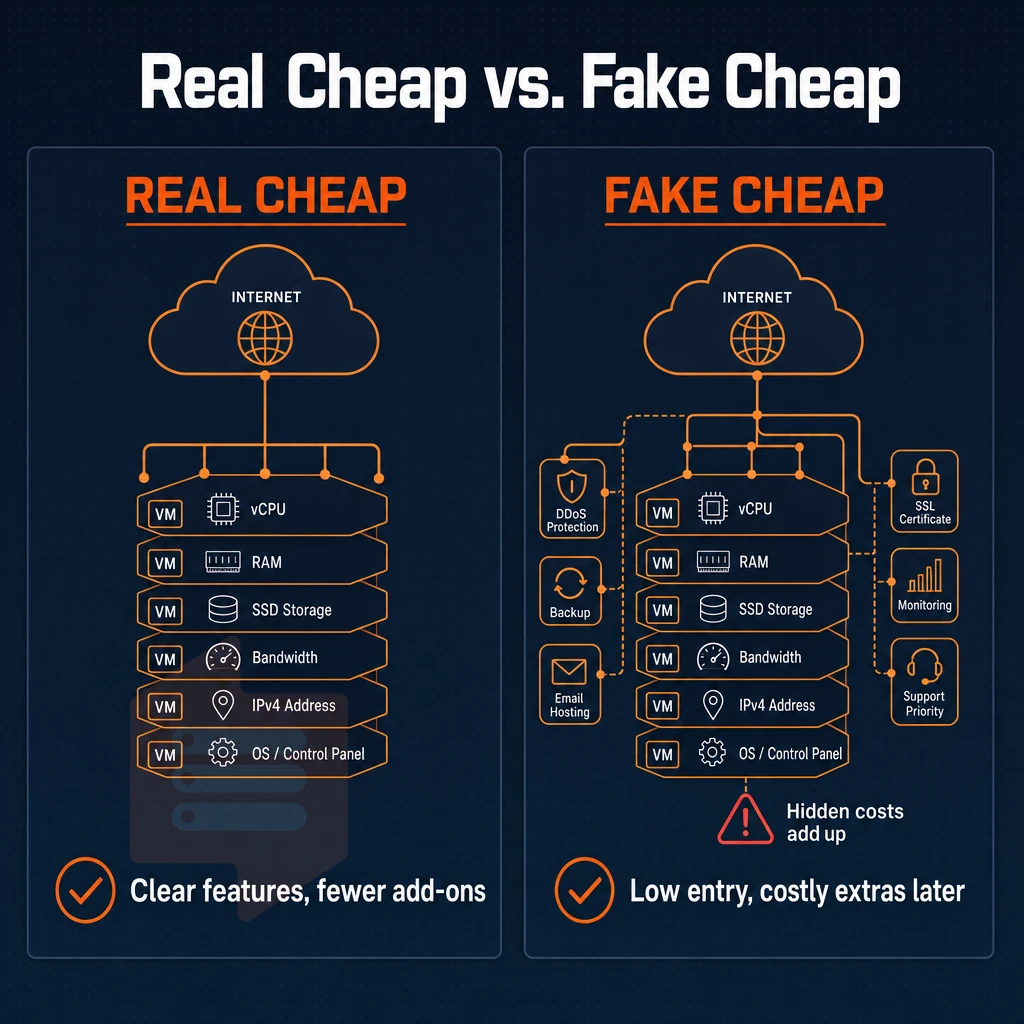
A low advertised price is easy to advertise. What does that price really deliver? And how will you be nickeled and dimed after the initial billing cycle? Many providers advertise entry-level rates that seem competitive, but plans start at different resource tiers and renewal pricing can jump significantly after the first term expires.
The renewal hike trap and overselling
Most providers start with a cheap introductory rate but increase sharply on renewal. The total cost of ownership is thus much higher than the introductory rate quoted. The cleanest way to quote is with transparent pricing, i.e. the same rate in year one as in year five. Many providers advertise that plans start at an attractive entry price, but fail to disclose that subsequent billing cycles can double or triple that initial rate.
But then there is also the problem of overselling. When no hard memory limits are defined for a node, all workloads on that node compete for resources. Under real load this then results in throttled CPU, in severely degraded I/O and un-predictable latency. It is these hard limits per node times low node density that actually define dedicated resources.
VPS hosting providers: what the spec sheet reveals
Storage type is a fast signal. Measured 4K read IOPS for NVMe on PCIe is in the hundreds of thousands. This is a big number. Measured 4K read IOPS for spinning disk and for older generations of SSD on SATA are in the low tens of thousands.
The difference in actual throughput for databases, for caches, for web applications is huge. Modern VPS providers increasingly standardize on nvme ssd storage to deliver consistent sub-millisecond latency across all tiers, eliminating the performance bottlenecks that plagued earlier SATA-based architectures.
| Factor | Cheap-looking | Genuinely affordable |
|---|---|---|
| Renewal pricing | Introductory rate, hikes at renewal | Same rate every year, no surprise fees |
| Memory allocation | Soft limits, oversold nodes | Hard caps, low node density |
| Storage | Spinning disk or SATA SSD | NVMe RAID10, PCIe direct |
| Access | Restricted or panel-only | Full root access, dedicated IPv4 + IPv6 |
| Uptime SLA | Unstated or unenforceable | Published SLA, e.g. 99.8% |
Managed vs. Unmanaged VPS: where the cost difference comes from
These managed plans typically include things like OS patches, security hardening, and monitoring. All of these things cost a lot more in support, and with an unmanaged VPS you have to manage the server yourself. This means you’ll save a lot of money on a monthly basis. Organizations that handle their own system administration can save money while gaining complete control over software versions, security policies, and performance tuning. Self-management does require technical skills to configure firewalls, apply patches, and troubleshoot issues that would otherwise be handled by a managed service team.
Many unmanaged plans also allow administrators to configure custom firewall rules and implement ddos protection strategies tailored to their specific threat profile and traffic patterns. Many unmanaged providers also bundle free weekly backups into their base plans, ensuring that critical data remains recoverable without requiring administrators to configure third-party backup solutions. For teams evaluating unmanaged options, comparing how plans start at different providers reveals significant variation in baseline resource allocations and included features like backup frequency or bandwidth caps.
Linux-savvy developers and teams will find unmanaged VPSes to be better value. Inform your potential hosting providers that you’re looking for unmanaged and they’ll be sure to let you know in the sales pitches whether or not there are management fees hidden in the small print for “managed” VPSes.
BuyVPS is a no-oversell VPS host with hard memory limits, using NVMe RAID10 storage in both Amsterdam and New York. They publish a 99.8% uptime SLA. Importantly, they charge the same price from year one onwards, and there are no extra charges or renewal price hikes. This is what I mean by truly affordable VPS hosting plans as opposed to seemingly cheap plans on a website.
Key VPS services to compare before you buy
While many VPS services are advertised similarly, big differences exist between truly powerful services and very slick marketing copy. Save yourself months of potential headaches by going through this simple checklist in just a few minutes per test case. Most providers allow you to deploy test instances and run basic performance benchmarks in just a few clicks, giving you empirical data before committing to a long-term contract.
Compute, memory, storage, and customer support
- Check CPU type: shared vCPU vs. pinned cores.
Check the CPU type and ensure that it is either shared (for low usage websites) or pinned (for more consistent performance). Our Standard tier features shared AMD EPYC Milan CPUs, while the Dedicated tier features pinned EPYC Genoa CPUs. -
Verify RAM and storage specs, and the underlying hardware.
Look beyond the headline gigabyte count. NVMe RAID10 with PCIe-direct attachment delivers measurably higher IOPS than older SATA SSD arrays. BuyVPS publishes fio benchmark results so you can verify before you buy. Note: some providers list "SSD" without specifying NVMe, always confirm the storage interface. - Audit bandwidth and network uplinks.
Check the included monthly transfer and if the uplinks are multi-homed. A single uplink (carrier) creates a single point of failure. Also check if IPv4 and IPv6 dual-stack is included by default and not sold as an add-on.
OS, control, security, and customer support
- Confirm operating system flexibility.
A quality host allows you to upload and install your own operating system, or upload a custom ISO image. At BuyVPS we support Ubuntu, Debian, AlmaLinux, Rocky Linux, CentOS Stream as well as Fedora. We also support custom ISO’s for advanced users or those with specific technical requirements or compliance needs. - Evaluate the control panel and API access.
The control panel and API access can be used to automate the provisioning of servers and integrate them with your existing deployments in your continuous integration and continuous development pipelines. In addition, in-browser VNC console access is key to being able to recover servers that are unable to connect via SSH. -
Assess DDoS protection and support quality.
Edge filtering should be standard, not an upsell. On the support side, confirm you reach engineers, not scripted first-tier responses. Note: some providers include automatic weekly backups, a free domain name, or SSL certificates as bundle items. These have value, but they should not substitute for strong core infrastructure. Evaluate free domain and free weekly backups as nice-to-haves, not decision drivers.
Data center locations and upgrade path
- Verify data center locations match your audience.
Our data centers are located in Amsterdam and New York. This allows us to serve EU traffic and US East Coast traffic from identical hardware and network configurations. - Confirm in-place upgrade capability.
Scaling doesn't need to involve a migration or even an IP rotation. In-place upgrades are supported for all of our tiers, so your IP addresses and configuration will remain the same as you scale up.
Shared hosting vs. VPS hosting: when to make the switch
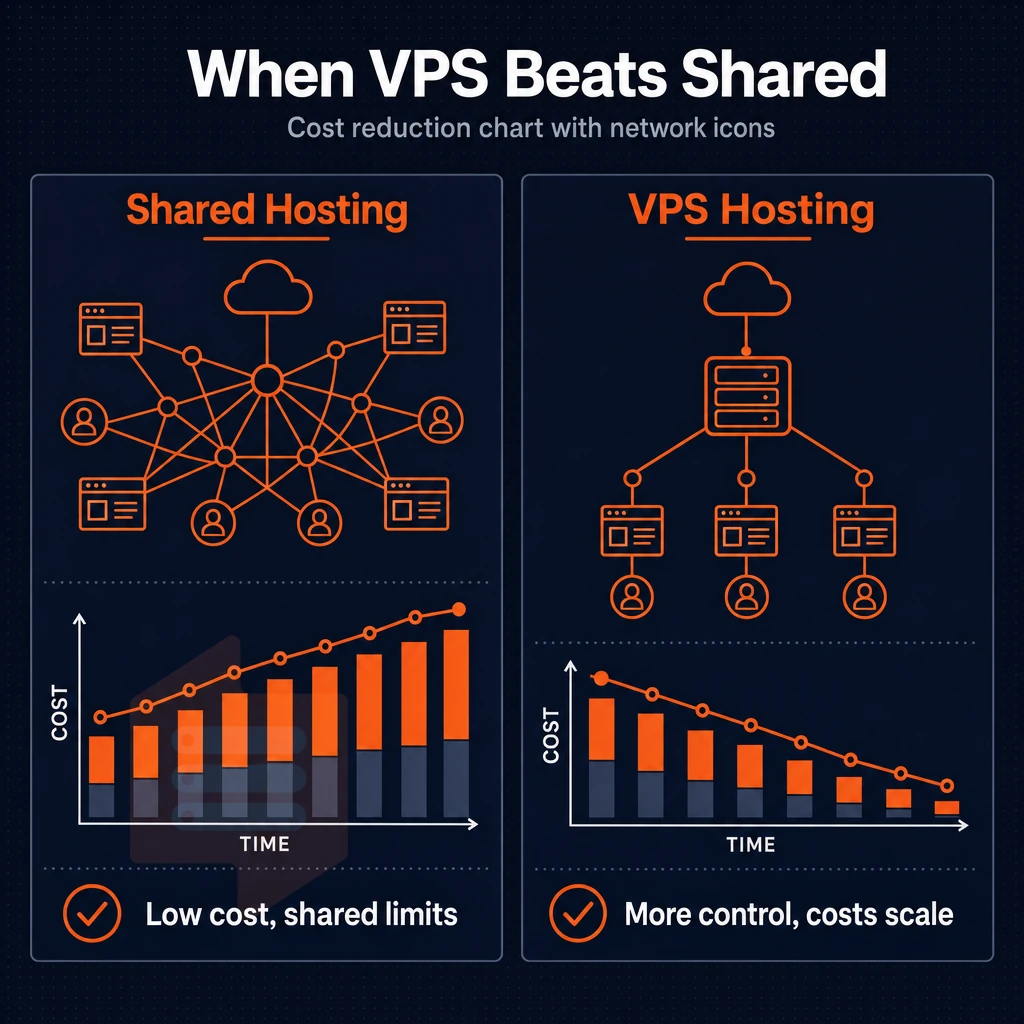
The traditional web hosting model typically installs your website on a shared server with hundreds of other websites hosted from the same server. This type of hosting works well enough for small to medium sized sites. However, until you hit the ceiling on cpu ram and storage (as you inevitably will), you'll find that the restrictions imposed by shared hosting are more of a problem than an occasional annoyance.
Performance bottlenecks become especially pronounced when shared environments rely on legacy spinning disks rather than modern ssd storage, which can deliver orders of magnitude faster random access for database queries and application logic.
How shared web hosting constrains your stack
Shared hosting creates a pool of a server’s CPU, RAM and I/O. So, when your neighbor experiences a sudden traffic spike, your site’s loading times will immediately be affected. You have no way to separate out your own processes or reclaim resources that others are using.
Root access is intentionally locked out. You cannot install a package to run custom software, change the version of PHP outside of the predefined versions to use, run a daemon in the background. Alternatively, Modify server configurations outside of the control panel abstraction and limits enforced for security on other tenants on the same server.
A shared environment does not have any hard memory limits per account. One runaway process on a node can fill all the RAM on that server and then all other sites on that server will experience the problem.
When VPS server administration becomes necessary
The 5 Scenarios for an Inflection Point are: (1) special web applications that require special runtimes or libraries; (2) game server hosting that requires very low latency and special dedicated resources. (3) automation of workflows that require background processes to persist; (4) dedicated IP addresses for reasons like SSL and email reputation; (5) special database workloads that require special tunable kernel parameters.
Game servers and high-traffic applications also benefit from robust ddos protection to maintain availability during malicious traffic floods that could otherwise overwhelm network resources.
With VPS hosting you get full root access to the server. That means you have full control of the OS and the software stack. You can even tune parameters to your heart’s content.
As opposed to shared hosting were you have to submit a ticket and wait for an admin to do something for you. With VPS hosting you have direct command-line access to your server. Which is a huge difference in what you can build and how fast you can build it.
A VPS runs its own kernel, in its own isolated environment. There is no resource contention with other tenants, because it is designed that way, not managed through policy.
Dedicated hosting and the tier above VPS
A dedicated server is just physical hardware with no virtualization layer. That’s in contrast to VPS hosting which sits in the middle of shared hosting and dedicated servers. It provides isolation, root access and variable configured resources for the price of a tiny portion of a dedicated server.
At BuyVPS we enforce a hard memory cap per node and keep node density low. So the isolation that a VPS provides is real, as opposed to being eroded by excessive overselling.
As such, the VPS is ideal for growing web applications and other workloads that require consistent performance above and beyond what a typical shared hosting environment can provide. Allowing you to scale on a solid platform as opposed to simply growing out of a poor platform in 6 months time.
Web hosting on shared servers is reasonable until you need control, consistency or custom applications that cannot be run on a locked-down server.
Cheap VPS hosting USA: side-by-side comparison of plan tiers
Just because something is low-cost VPS hosting USA, doesn’t mean that it’s of value. In the table below we have compared our three tiers of VPS hosting, each built for reliable performance, with the typical offerings of the very cheapest packages as well as those of the mid-range offerings. Note the big differences in terms of how resources are allocated, the hardware used and the policy applied.
| Feature | Budget provider (typical) | Mid-range provider (typical) | BuyVPS Standard CPU | BuyVPS Dedicated CPU | BuyVPS High Memory |
|---|---|---|---|---|---|
| vCPU type | Shared, overprovisioned | Shared vCPU | Shared vCPU, AMD EPYC Milan | Pinned cpu cores, AMD EPYC Genoa | Shared vCPU, AMD EPYC Milan |
| RAM | DDR4, often soft-capped | DDR4 ECC | DDR4 ECC, hard memory caps | DDR5 ECC, hard memory caps | DDR4 ECC, 1:8 RAM ratio |
| NVMe storage | SATA SSD or HDD | NVMe (single drive) | NVMe RAID10, PCIe direct | NVMe RAID10, PCIe direct | NVMe RAID10, PCIe direct |
| Bandwidth | Shared, throttled at peak | Metered or fair-use | 2 TB included | 2 TB included | 6 TB included |
| Virtualization | OpenVZ or KVM | KVM | KVM, separate kernel per VPS | KVM, separate kernel per VPS | KVM, separate kernel per VPS |
| Root access | Sometimes restricted | Full root | Full root + custom ISO | Full root + custom ISO | Full root + custom ISO |
| Data centers | Varies, often single region | Multiple regions | Amsterdam + New York | Amsterdam + New York | Amsterdam + New York |
| Renewal pricing | Introductory rate, hikes at renewal | Moderate increases common | Same price in year 5 | Same price in year 5 | Same price in year 5 |
What separates our tiers
The Standard CPU plan is a cost effective option for Web applications and development environments. The Dedicated CPU plan guarantees 100% isolation of your workloads with pinned CPU cores. The High Memory plan is intended for Databases and other in-memory caches which require large amounts of RAM and plenty of storage.
Where BuyVPS stands out
Most budget VPS hosting companies skimp on global infrastructure to reduce cost: thin networks, single datacenter regions, and memory soft limits. At SmartVPS we work with hard limits per node and low node density to deliver consistent performance and not just promise it at signing time.
Our NVMe RAID10 storage performed 122,959 4K read IOPS in our fio testing. That number is very relevant to workflow automation, CI/CD, and storage-heavy databases. ssl certificates and basic control-panel features are standard and not upsells.
US data center locations and latency for american workloads
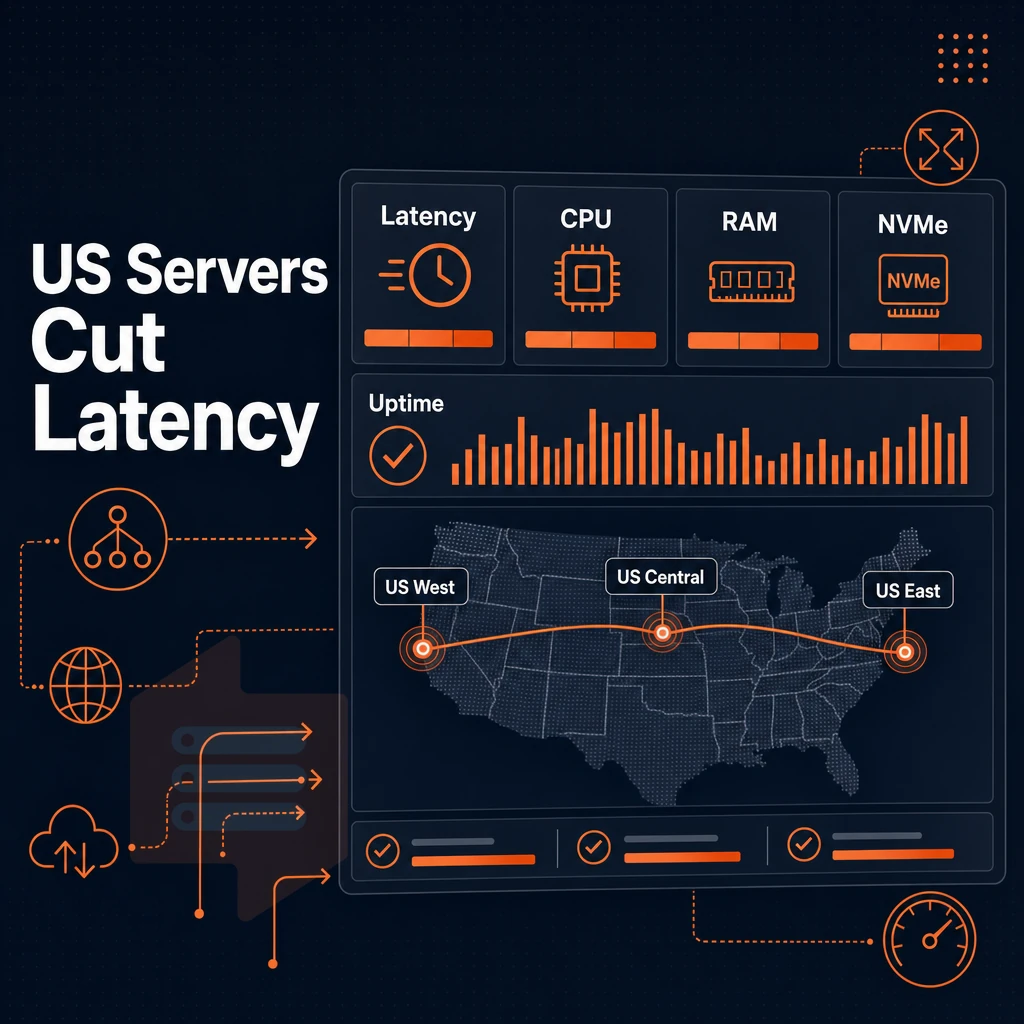
The largest single variable influencing latency for a VPS is location. By placing a virtual private server VPS close to your visitors, you can enjoy lower round-trip time than would be possible were you to place the server on another continent. We operate two datacenters: New York City and Amsterdam. Both are chosen to serve US East Coast loads as well as transatlantic traffic, the best of both worlds.
New york: the right anchor for US east coast traffic
New York is geographically situated at the heart of the most concentrated Internet Exchange (IX) facility space in North America. Round-trip time to nearby major East Coast cities typically average less than 10 ms. Connectivity to major centers in Chicago and Atlanta average 15-25 ms. Access to West Coast locations generally experience latency within acceptable parameters for most applications.
And the same geographic advantages apply across the Atlantic. New York to London fiber routes have average latencies of 75-85ms. As a result, New York is often the single location to serve both US and European users for a game server, a SaaS application or financial application.
All of our New York BuyVPS servers are running on AMD EPYC processors with NVMe RAID10 storage. Our network has a 99.8% uptime SLA, is dual-stacked with IPv4 and IPv6 on all ports, and has edge filtering on all ports as well.
Amsterdam: EU data residency without hardware trade-offs
Amsterdam has one of the largest internet exchanges in Europe and has excellent connectivity to the rest of Europe. As an example of latency, Amsterdam to Frankfurt, Paris and London average round-trip times are below 15ms. This makes Amsterdam an ideal location for workloads that require EU data-residency within European jurisdiction by default.
This server, handling server administration through the same control panel setup, has identical hardware specs to our New York location: AMD EPYC processors, NVMe RAID10 storage, and KVM virtualization with a separate kernel for each VPS. Additionally, A control panel that provides an API as well as in-browser VNC access.
Full control over region without any trade-off
We mirror hardware, control planes and transparent pricing at both locations, so location choice is purely a matter of latency. All plans are available in identical specs in Amsterdam and New York. You can start with a single host in either location and then add a second host in the other location, without any migration, IP change or re-negotiation.
We recommend New York for US-primary or transatlantic workloads and Amsterdam for EU-primary or data-residency use cases. Both offer full root access, in-place upgrades and the same engineer-led support.
Managed VPS hosting vs. Unmanaged: which is right for you?
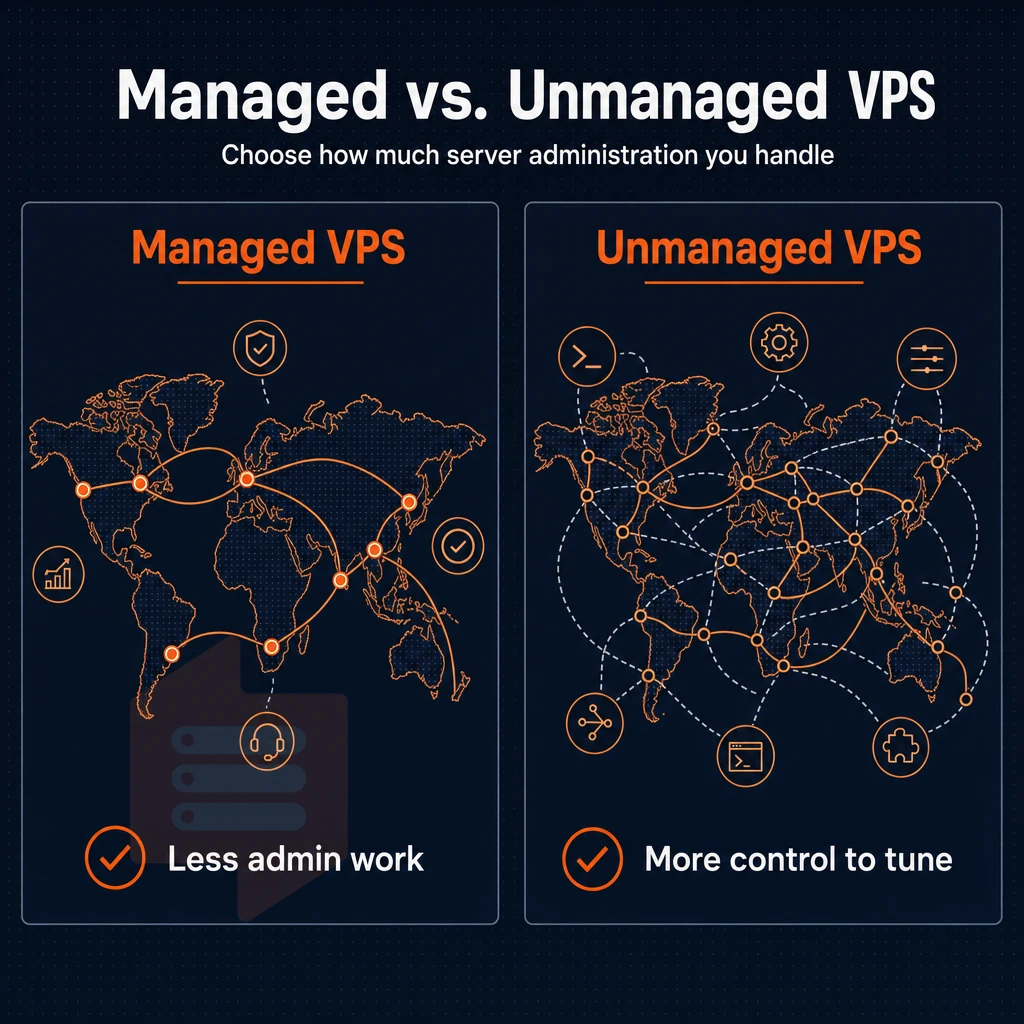
When comparing a managed VPS to an unmanaged VPS, the deciding factor is often how much server administration you want to take on as the owner of the server. It affects the cost, the degree of control you have, and the level of technical expertise your team requires on an ongoing basis.
Unmanaged VPS hosting: what you take on
An unmanaged VPS is a VPS you fully control. The VPS provider gives you a running Virtual Server and you’re responsible for everything above the Hypervisor (the layer that provides virtualization).
- Install the desired operating system. Choose from a variety of different Linux distributions, or upload your own ISO file. This is where you do the initial setup up of your server, and full root access allows for modification of all configuration files.
- Apply all OS and security patches manually. Nobody will push updates for you. Schedule and execute all necessary package updates, kernel patches and changes to your firewall rules. Not doing so is the biggest problem for hacked servers.
- Handling all server management is your job (or your team’s job). This means you will handle web server configuration, database tuning, setting up user accounts and setting up permissions, handling log rotation etc. You will have complete flexibility as there is no software stack that your provider has set up for you and therefore no restrictions.
Note: Unmanaged VPS is not suited to teams without at least one sysadmin. If no one on your team can SSH into a box and troubleshoot a failed service, start with a managed option.
Install custom software: the unmanaged advantage
The ability to install software that you need to run is one of the main reasons why developers choose to run self-managed VPS. Unlike with managed VPS. There, You are restricted to the software that your provider allows to run on top of your server (their 'approved stack').
With self-managed VPS you are free to run any runtime, database or daemon that you need. This includes builds that require a specific kernel module to be loaded, or that run on a non-standard port.
All of our KVM VPS servers are running with a separate kernel for each server. So your kernel config will not affect any other customers. You can upload your own ISO image for your server. We support upload of almost any OS, including Windows Server. Usually an ISO upload isinstantly and does not require any assistance from us.
Managed VPS hosting: when to pay for hands-off operation
Some Linux providers even offer a managed tier where they do the patching, monitoring, and software updates for you. Of course, that means you have less control over your server settings and management, but it's a great way for businesses that need to run an application but have no in-house Linux expertise to get up and running.
- Make sure you know what is covered under “managed”. Managed can vary greatly from provider to provider. Typically managed only means OS patching, but some providers offer application layer support as well. Make sure you read the service definition prior to ordering.
- You will encounter more restricted software in managed environments. Root access and even certain packages may be prohibited. Check if your desired application stack is supported before you migrate.
- Budget for the premium. As noted above, managed tiers typically have a higher cost than their unmanaged counterparts. For teams that are already a sysadmin team, this premium is unlikely to bring sufficient value to warrant its increased cost.
BuyVPS is an unmanaged hosting product. As such, we don’t interfere with your VPS and you have full root access, API access to manage your VPS as well as an in-browser VNC console to manage your servers.
Common use cases for cheap VPS hosting in the USA
A whole range of workloads can be hosted on affordable VPS hosting, from lightweight developer sandboxes that barely touch server resources up to production game servers with hundreds of concurrent players. By knowing the resource requirements for each type of workload, you can select the appropriate tier from the best VPS hosting providers from the outset, and avoid the costs and frustrations of over-provisioning or under-provisioning.
Compute- and memory-intensive workloads
Many applications are deployed on affordable VPS hosting as Web applications or as CMS systems (such as WordPress, Drupal or even custom applications built on top of platforms like Laravel or Django). To serve medium loads of traffic a site like this would typically require 2-4 vCPUs and 4-8GB of RAM. Shared-CPU VPS servers handle such loads at lower traffic volumes. Once the traffic picks up, switching to a dedicated-CPU VPS server can help avoid noise from neighboring accounts.
For game server hosting many games are CPU-bound. A Palworld dedicated server for example recommends 4+ Cores and 16GB RAM for 16-32 players. Other games like Minecraft, CS2 and Valheim have similar requirements. The cores need to be pinned, because shared vCPU of a regular server can cause lag spikes that are very noticeable for players. BuyVPS Dedicated CPU VPS instances use pinned EPYC Genoa Cores. They deliver stable tick rates even under load.
Resource allocation guidance for game servers
Assign 1 physical core per 8-10 players. RAM allocates based on world state complexity (open-world survival games require more than an arena shooter). NVMe storage is highly recommended to reduce world-save stutter that is so problematic on typical spinning-disk VMs.
Network-edge and infrastructure workloads
When choosing VPS solutions for proxy servers, VPN endpoint servers, or DNS servers like BIND or Unbound, bandwidth matters far more than CPU power. A single VPS with a dedicated IP address and 1 Gbps uplink can handle dozens of tunnels while a single vCPU and 512 MB RAM is sufficient to run a DNS server. Very cheap plans available.
The e-commerce back-ends and database servers have an inverted profile to the front-end servers. For a PostgreSQL or MySQL based store of medium size, fast NVMe I/O and sufficient RAM to hold the working set in buffer cache is needed. BuyVPS measured 122,959 4K read IOPS on their NVMe RAID10 storage. This I/O capacity is greater than needed to prevent query latency from becoming a bottleneck.
VPS plans for development and automation
Mirror your production environments in development and staging without the cost of production. Run your CI/CD pipelines, integration test suites and your infrastructure-as-code dry runs on the very same virtual machine image that you run in production. Virtual Private Servers with full root access and support for custom ISO images, such as those we offer at BuyVPS, can easily be snapshotted, cloned and torn down as needed.
Workflow automation with n8n, Airflow or scripts running with cron is CPU-bursty but mostly idle. Most automation workloads fit on a single shared-CPU node. Uptime is key: one missed cron job can have severe effects on data pipelines. We therefore match hosting plans with the promised 99.8% SLA to ensure that all scheduled jobs run on time.
A common thread among these workloads is predictable resource utilization. Affordable VPS plans with strict hard memory caps (not to be confused with a loosely enforced server-wide capacity) are the only way to guarantee adequate performance.
How to choose the right VPS provider for US hosting
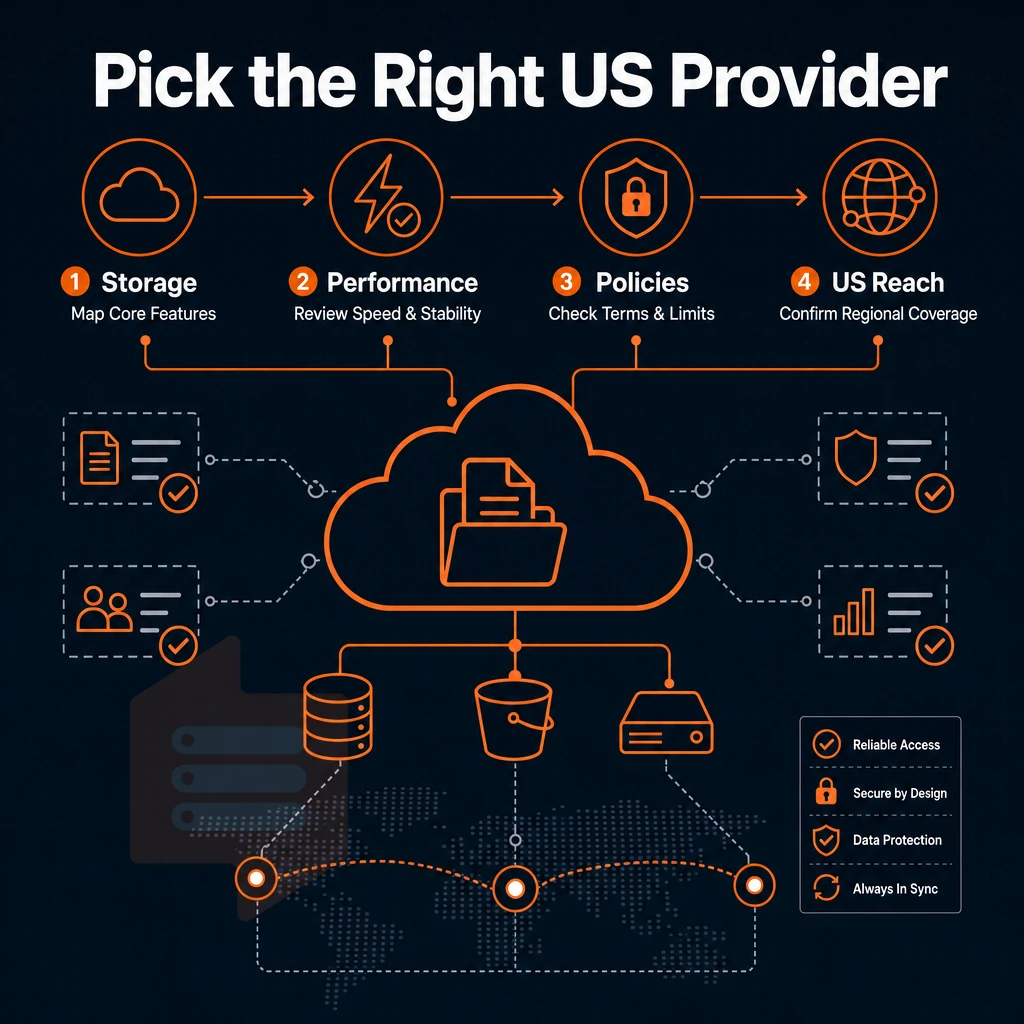
Affordable doesn’t always mean good value for money. A good VPS hosting provider offers good performance and fair conditions. Checking a few things before you buy can save you a lot of trouble when it’s time to switch hosts.
Define your workload before comparing plans
First, identify the minimum RAM and storage requirements to support a WordPress website of moderate traffic. The needs of such a website will be far less than that of a self-hosted database cluster or a game server. Find out these basics first before you go to compare host services on comparison pages.
The virtualization type also matters a great deal. KVM virtualization for example creates a new kernel for each VPS and it sets hard limits for all resources. This type of isolation prevents problems that are caused by so called noisy neighbors in oversold environments. Always check if KVM virtualization is available before you can sign up for a VPS.
The storage tier also matters a lot. IOPS on NVMe SSDs are orders of magnitude higher than on storage with SATA interfaces. For example, our fio benchmarks report 122,959 4K read IOPS on our test system equipped with NVMe SSDs configured in RAID10. The numbers also hold under production-like load.
Evaluate customer support and pricing honesty
The engineers answer the tickets, not a robot. Ask the pre-sales engineers any technical questions you have before you buy and get a timely, accurate response. A slow or vaguest response post-sale is what you can expect.
Be aware of the renewal pricing most hosting providers apply when the initial term has expired. Look for a firm ‘No increase in renewal pricing’ guarantee. At BuyVPS our launch price will remain the price you pay when it renews in year five.
Low price plans ($3/month and so) with no benchmark numbers ever published (average value: shared CPU, old SATA disks, oversold servers w/o memory limits).
Control panel usability and upgrade paths
A user friendly control panel saves a lot of time. Look for self-service provisioning, in-browser VNC console access as well as a full API to enable automation in a few clicks rather than logging support tickets.
The way in-place upgrade paths are designed for larger servers is also important. Many providers force a full migration on scale-up, which then changes the IP of the server, and thus also changes the DNS and SSL config for that server. BuyVPS supports in-place upgrades of servers without any IP changes and without any downtime.
Why choose BuyVPS for cheap VPS hosting in the USA
Finding economical VPS hosting in the USA is straightforward. Finding value VPS hosting that doesn't degrade under real load is harder. BuyVPS is built around the second problem. Every virtual private server we provision runs on KVM with a separate kernel, true isolation, not a shared container. Our NVMe SSD storage sits on RAID10 with PCIe-direct access, and we publish the benchmark: 122,959 4K read IOPS measured with fio. Those are real numbers, not marketing estimates.
- No-oversell architecture: Hard memory caps per node and low node density mean your VPS server gets the RAM and storage it was sold.
- KVM isolation: A separate kernel per virtual private server VPS keeps noisy neighbors from affecting your workload.
- Full root-level access on every plan: Full superuser access, custom ISO uploads, and your choice of operating system, no restrictions.
- Dedicated CPU tier with pinned cores: Predictable latency without stepping up to a full dedicated server.
- Two data centers, identical specs: Our data centers in New York and Amsterdam run the same hardware, control plane, and pricing.
- Transparent pricing, no renewal hike: The affordable price you sign up at is the same in year five. No surprises.
In-place upgrades mean no migration and no IP rotation when your needs grow. We've been founder-run since 2002, and our support queue is answered by engineers, not first-tier chatbots. Explore our affordable VPS plans or reach out to compare options for your workload.
The core VPS services checklist: what affordable plans should always include
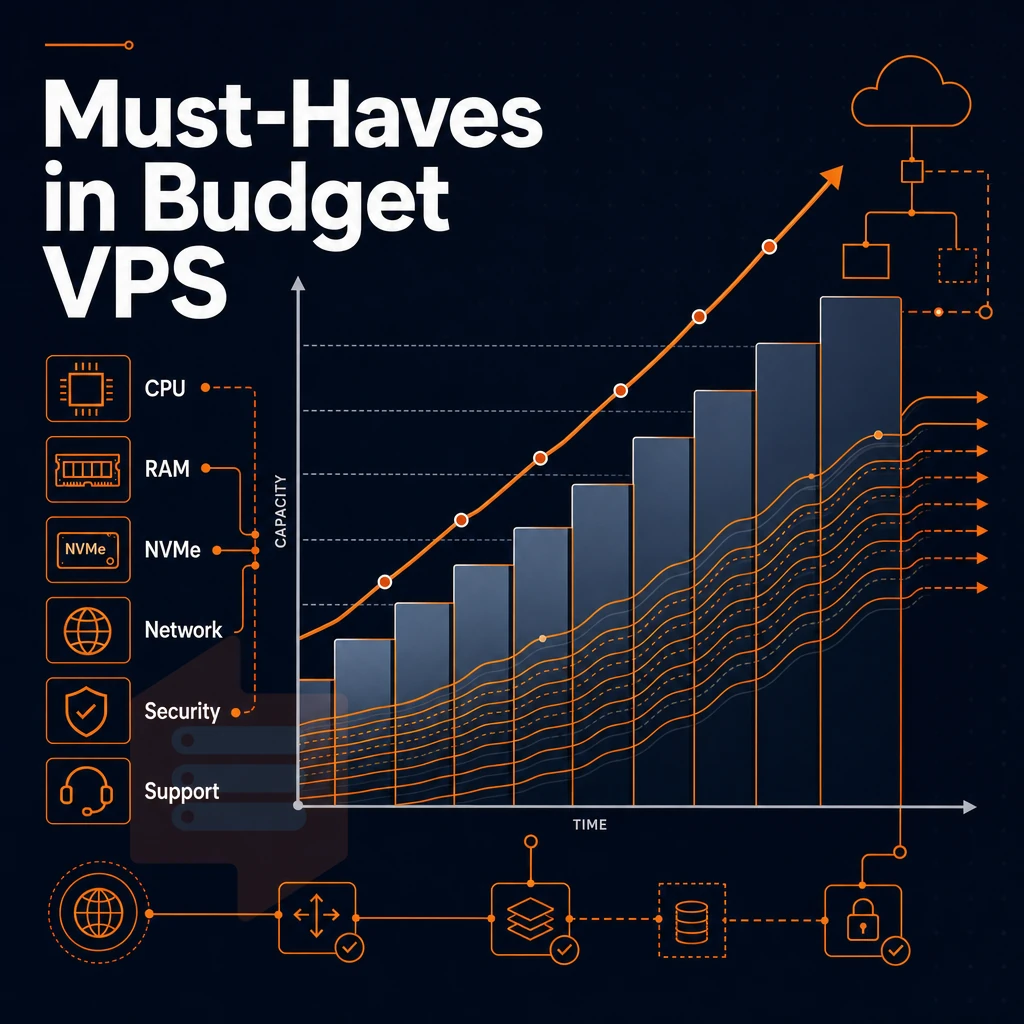
budget VPS hosting plans do not have to be with trade-offs. For the basis of a credible VPS services checklist, eight things have to be there: KVM isolation. NVMe SSD storage, full administrative access, no overselling, fair and transparent pricing for re-newals, dual-stack (IPv4 and IPv6) and DDoS protection.
And last but not least: serious support by real engineers, not by robots. If one of these points is not included with a VPS offer, then low prices suddenly become a liability rather than an asset.
inexpensive VPS hosting in the USA can serve up very real and practical VPS hosting power when built out correctly. full system access to your server and a no-oversell policy on CPU, RAM and storage are 2 key features that need to be in place.
BuyVPS offers all of these features in both of its data centers (Amsterdam and New York). Same hardware, same quality, no sudden increases in the renewal price, this is what we expect from a VPS host. Measure other hosts up against this.
Finding the best VPS plans for your budget
When choosing a virtual private server over dedicated hosting, there are three main things to consider: the type of workloads you intend to run, the location of the server, and the price for what you're getting. We recommend using shared vCPU VPS plans for general web hosting and development work, dedicated cores for latency critical applications.
Additionally, High-memory VPS hosting plans for data intensive workloads that exceed what’s possible with typical VPS hosting plans. Make sure to check where a provider’s data centers are located and don’t be fooled by ‘cost-effective VPS hosting usa’ if the server actually resides on a continent far from your users.
Affordable plans exist across every tier, but transparent pricing matters more than the lowest headline rate. A virtual private server that hides renewal costs or charges extra for full root privileges is not a bargain. Review full-tier breakdowns, confirm what VPS runs on your chosen hardware, and compare honestly before committing. For deeper plan comparisons across tiers and locations, visit BuyVPS.com/cheap-VPS/.
When evaluating low-priced VPS hosting in the USA, whether running Linux or windows server, it is important to ask yourself whether what you are reading is cheap on paper or cheap for total cost of ownership. While discounted VPS hosting services advertise very low pricing in the invoiced cost to you.
The true cost to you of the bargain VPS hosting can include instances of CPU throttling, hosting on an oversold server. Additionally, Even forced relocations of your virtual servers in order to add more servers to increasing loads.
For production workloads, virtualization using KVM and separate kernel for each VPS, memory limits (hard caps). Additionally, Upgrades performed live without changes to IP addresses of VPSes in question are minimum required to be considered for serious production hosting.
If your traffic is US-based and you need a provider that publishes real benchmarks and backs them with engineer-led support, explore BuyVPS's New York VPS plans and see which tier fits your workload.