


There are many options for very cheap unmanaged VPS hosting, and it’s also a very good value if you choose the right provider. Cheap and awful shared-CPU servers with many users on the same machine, old spinning hard disks. Additionally, No promises for any performance at all, versus root access on real NVMe storage and a very stable and performant network that doesn’t go down under load.
The difference in performance for budget unmanaged VPS hosting between being able to run production workloads and only being good for a dev sandbox comes down to a few simple design choices: hypervisor isolation. Storage architecture, CPU allocation, and memory over-selling. Get these right and you can run production workloads off of very low-cost self-managed VPS hosting. Providers that allocate sufficient cpu ram and storage per virtual machine enable consistent performance even during traffic spikes.
We lay out the key specifications you should be looking for to tell the difference between quality unmanaged VPS hosting that’s cost-efficient and inferior versions that are only cheap because they’re cutting corners. We also describe several configurations in real terms and outline several red flags to watch out for in VPS hosting marketing. Read up to make informed purchasing decisions that are based on real VPS hardware rather than empty sales hype.
https://www.youtube.com/watch?v=oJN3wNsB2kM&pp=ygUbY2hlYXAgdW5tYW5hZ2VkIHZwcyBob3N0aW5n
What is cheap unmanaged VPS hosting and how does it work?
Unmanaged VPS hosting is a stripped down version of typical VPS hosting service. With an Unmanaged VPS you get a virtual server running on dedicated hardware and you are fully responsible for all the content and applications above the Hypervisor level. The physical server and the VPS client’s network uptime is the provider’s responsibility.
First month $1
Then the normal monthly price. One per customer. No setup fee, and a 30-day performance guarantee on your first order.
See the plans“Good servers, thanks.”
What unmanaged VPS means for your workload
An unmanaged VPS is launched with full root access as soon as the server has booted. You can choose the OS and install the software stack of your choice. You are responsible for the firewall and for patch management as well.
The provider does not log in to solve a broken package or to check if applications are working properly. This is something that you have to do yourself. Unmanaged hosting is cheaper than managed hosting for a reason. When issues arise, you'll need to troubleshoot independently or consult community forums rather than relying on a support team to diagnose problems.
"cheap" here refers to a labor trade-off rather than a hardware trade-off and you have to do the administrative work while the provider is passing on the savings to you.
How kernel based virtual machine isolation works
KVM (kernel based virtual machine) divides up a physical server into completely independent virtual servers. Each virtual private server runs its own kernel and a noisy neighbor cannot affect your server as they could with shared hosting.
Each VPS comes with guaranteed RAM and CPU, completely separate from other VPSes and lacking a shared memory pool. The unmanaged hosting will behave as expected under load.
What is a good cheap VPS for developers and sysadmins?
Developers and sysadmins require an unmanaged VPS with a clean OS installation on best quality storage, backed by a control panel that gets out of their way as much as possible.
Our KVM based servers come with full root access, your choice of distribution and in-browser VNC access for out-of-band access. Our Amsterdam and New York nodes are powered by AMD EPYC processors, paired with high-performance NVMe RAID10 storage. We don’t oversell and set hard memory caps per node to guarantee performance.
Each VPS instance is provisioned with ample disk space to accommodate your applications, databases, and log files without requiring immediate expansion. Our infrastructure includes free ddos protection to safeguard your VPS from volumetric attacks without adding to your monthly costs. This combination of enterprise-grade hardware and careful resource allocation ensures maximum performance for demanding workloads without the premium pricing of enterprise hosting tiers.
Now that you know what unmanaged hosting is and how KVM isolation works, it’s time to decide whether your team is up to speed to administer an unmanaged or managed VPS.
Unmanaged VPS vs managed VPS: core differences explained
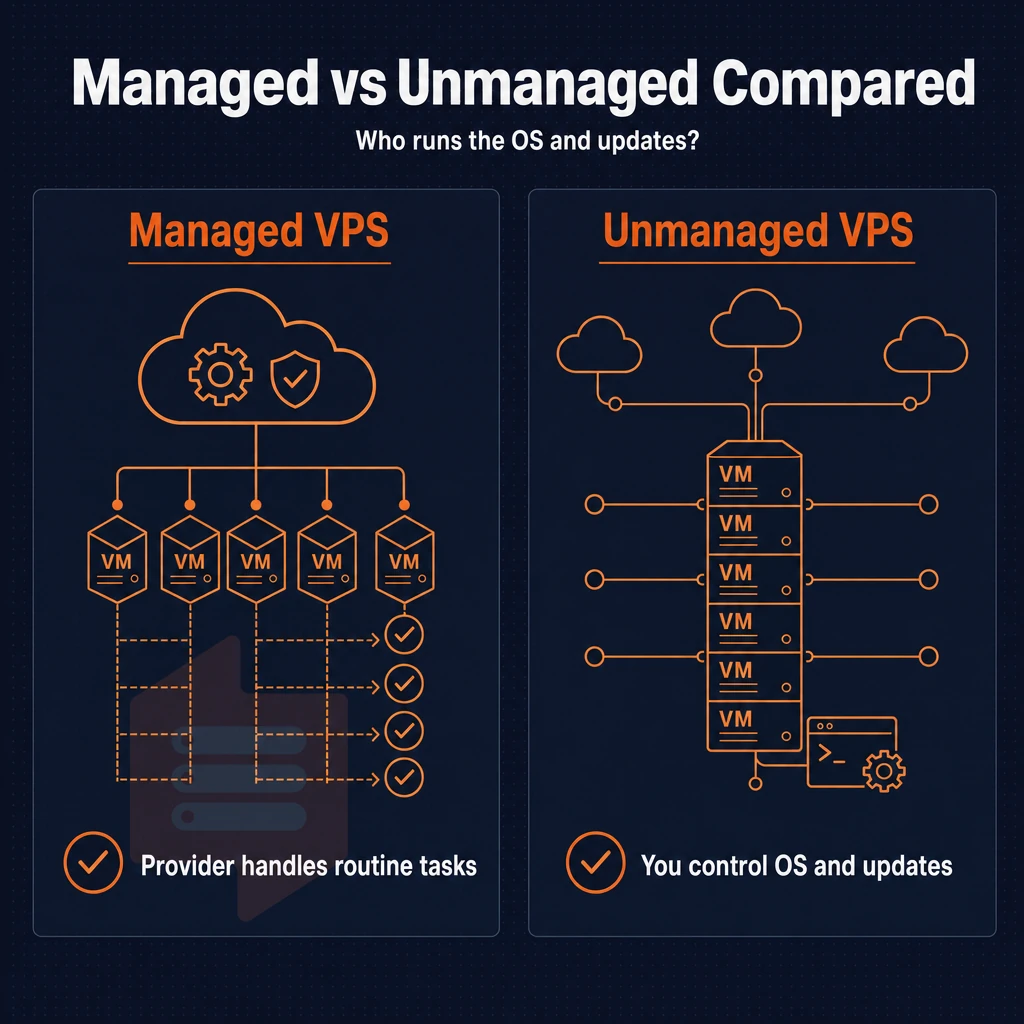
Managed VPS Hosting vs. Unmanaged VPS Hosting: Should You Run the OS? We examine the main points that influence your choice of managed VPS hosting or unmanaged VPS hosting. Both hosting solutions are operated on the same physical servers.
What each model covers
Unmanaged VPS hosting is provided to customers with full root access to their VPS server, allowing them to act as the system administrator for the server. Typically the customer is responsible for all updates to the Operating System and for applying security patches as well as for any configuration to the server, for setting up firewall rules and for configuring software.
This full control extends to network configuration, allowing administrators to customize routing tables, establish VPN tunnels, and implement advanced traffic shaping policies tailored to their application requirements.
The hosting provider is responsible for the physical hardware, for any hardware faults, for network outages, for problems with the hypervisor under which the VPS server is running, etc. But that is all.
Managed VPS plans build a service layer on top of the aforementioned hardware. We are talking about OS maintenance, control panel installation, backup management as well as general server maintenance. This allows you to order a ready-to-use environment instead of a bare box.
Managed VPS plans vs. Unmanaged: a side-by-side view
| Responsibility | Unmanaged VPS | Managed VPS |
|---|---|---|
| OS updates & patches | You | Provider |
| Security hardening | You | Provider |
| Backup management | You | Provider |
| Website management | You | You |
| Hardware & network | Provider | Provider |
| Uptime SLA | 99.8% | 99.8% |
Unmanaged hosting typically is less expensive as you are paying for labor that you provide. The managed service premium that you pay is based on real engineer time. The CPU, RAM, and NVMe storage performance ceiling does not change with neither hosting option.
Unmanaged doesn’t mean you’re left in the dark in case of a hardware or network failure. The provider's support team remains available to address infrastructure-level issues, ensuring your virtual environment stays operational even when you handle the OS layer independently.
Is VPS better than shared hosting for performance and control?
Yes, by a large margin. Shared hosting can have dozens of accounts on one OS instance. One noisy neighbor can cause huge spikes in latency for everyone. VPS hosting gives you dedicated RAM, fully isolated CPU's and your own kernel, so you never get affected by other tenants.
Control is equally as revealing. Shared hosting tends to limit root access and most software installations. In contrast, VPS hosting offers full superuser access, custom kernel modules, and the ability to run any stack of software that you require. For the developer or serious production based team, this is an upgrade that they cannot afford to ignore.
Data centers decision guide
We recommend choosing unmanaged VPS if you are able to administer a Linux server and want to pay less for more flexibility. We recommend managed VPS if your team's time is better spent writing applications than administering servers. Teams that value flexibility often find that unmanaged environments enable collaborative solutions where multiple developers can configure the server environment to match their specific workflow requirements.
Knowing the difference between managed and unmanaged VPS is important, but that is only half the story. We also need to explain where VPS sits in relation to shared hosting and dedicated servers, and where your workload can be best placed in terms of cost vs performance.
Unmanaged VPS vs shared hosting vs dedicated server: which fits your needs?
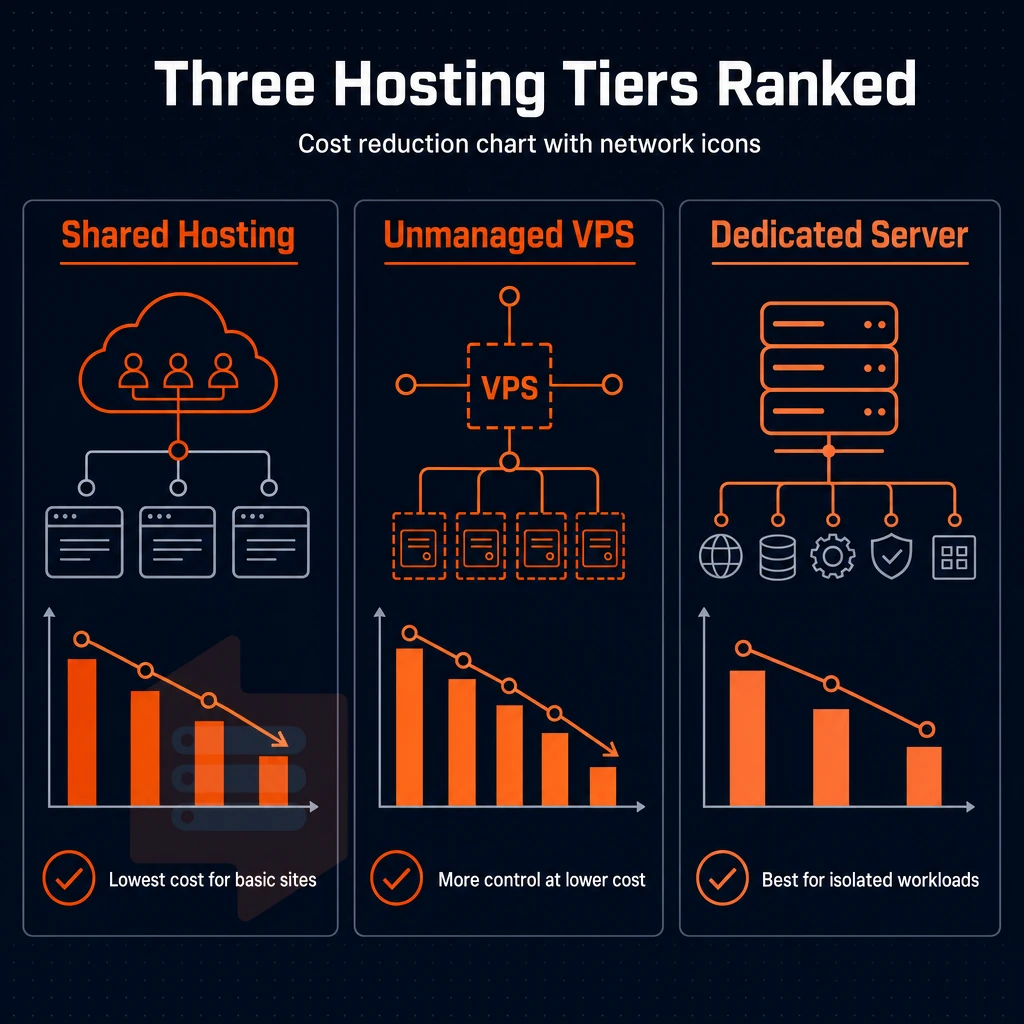
Not every hosting tier is suitable for every workload. While shared web hosting, unmanaged VPS hosting and dedicated servers are all located on the control-vs-cost spectrum in different places. Knowing where to place each helps you avoid paying too much while at the same time avoiding under-provisioning.
Shared hosting vs. Unmanaged VPS hosting provider comparison
With shared web hosting, many websites are hosted on one server. Resources are shared with other websites on that server, so you can’t guarantee any resources for your website. In addition, a sudden traffic spike from another hosted website on the same server might affect your website’s loading time. You don’t have full administrative access to the server’s Operating System.
Unmanaged VPS hosting is different than that. By virtualization the physical server is split up into virtual servers, each CPU, RAM and storage is dedicated to the virtual server. You have a full virtual server environment at your complete disposal.
When a dedicated server setup makes sense
A dedicated server is a single bare-metal server where you get the whole server to yourself. It’s perfect for projects that require extreme I/O and for projects that require to be compliant with strict rules and regulations. As with anything, there is a trade-off. A dedicated server costs more than a VPS and takes longer to provision.
How do i set up a VPS server for the first time?
With unmanaged hosting you pay the hosting company for the space on the servers and they take care of the hardware. The rest is up to you and you work above the Operating System level. Here is how you get started.
Preparation for customer support
- Choose your OS. Typically you would choose to go with a distribution you have some experience with. Ubuntu and Debian are common choices for new VPS hosting deployments.
- Create an SSH key pair and upload the public part before first boot. Password login must be disabled as it is a common attack vector.
Customer support execution
- Provision your new VPS and instantly deploy from the control panel. The BuyVPS system provisions new servers in seconds via a self-service online panel that also includes in-browser VNC.
- Harden the OS, disable root SSH login, turn on a firewall and apply all pending updates as the first action after login.
Customer support verification
- Test connectivity to the IP address by pinging the IPv4 and IPv6 addresses on the server. The VPS will be a dual-stack unmanaged VPS on BuyVPS, by default.
- Run a quick benchmark. Test the disk and CPU to ensure they match your plan's resources before you move to deploy your app.
Note: Skipping OS hardening after provisioning is the most common first-timer mistake. An exposed VPS can be compromised within minutes of going online.
Knowing which tier your workload needs is step 1.
What to look for in a cheap unmanaged VPS hosting provider
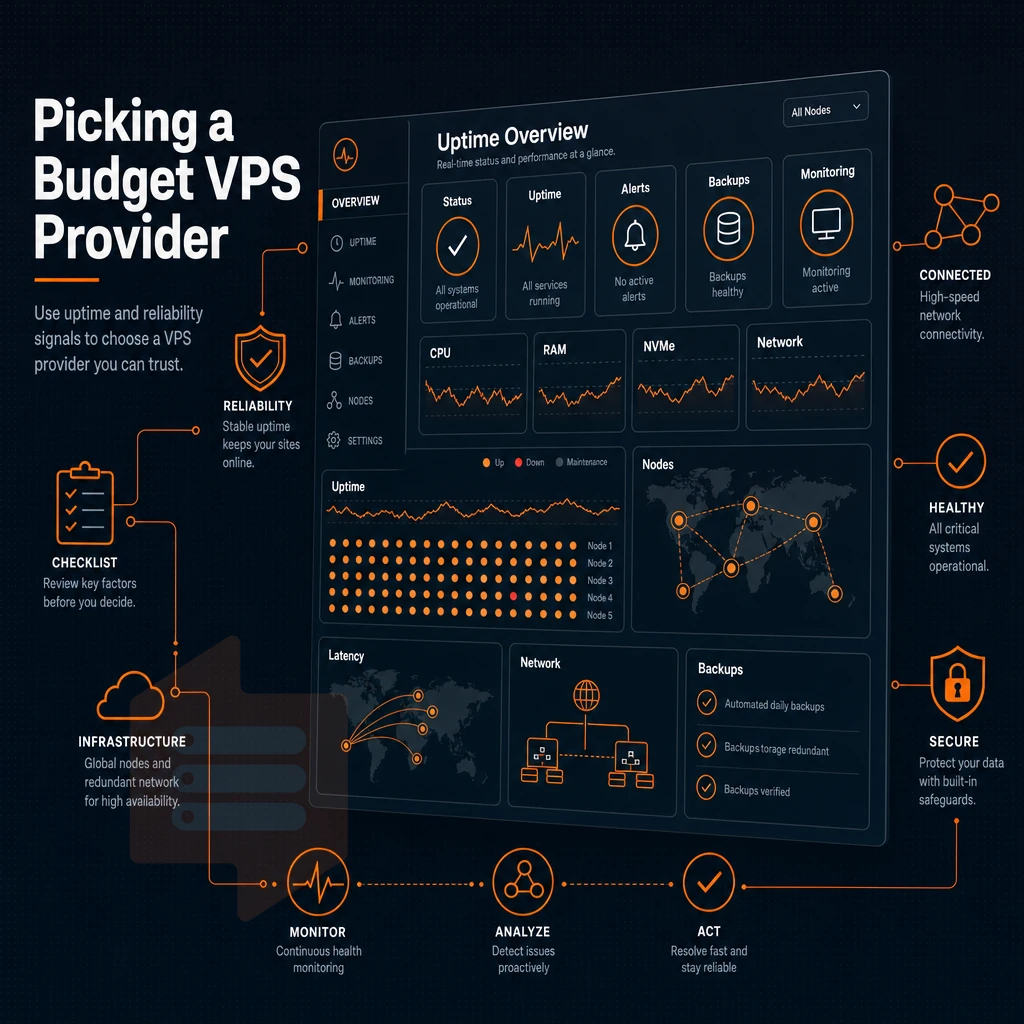
All cheap unmanaged VPS hosting plans are not created equal. A quality provider can offer far more value than a host offering very cheap unmanaged VPS only in a race to the bottom. The big differences between hosts are based on their hardware choices, virtualization, and their investment in their networks, which is rarely detailed on marketing web pages.
What does unmanaged VPS mean in practice?
An unmanaged VPS is different from shared server in that you get a full virtual machine with complete root privileges to the OS, software stack and security. The hosting provider only manages the physical hardware and hypervisor. Everything above that is your responsibility.
Cloud infrastructure and hardware fundamentals
Unmanaged VPS these days runs on same cloud infrastructure as you’d provide to big enterprise customers, the only difference is in pricing. So when evaluating VPS for powering your apps, consider CPU + RAM + storage. DDR4 or even DDR5 ECC RAM is a must to protect your apps from silent data corruption.
And then there’s storage, high-performance NVMe storage over traditional hard drives space delivers orders of magnitude better IOPS. Also, the CPU generation makes a huge difference, and customer support aside, the latest AMD EPYC CPUs, Milan and Genoa-based, deliver better throughput and better per-core performance than the latest Xeon CPUs, for example.
For CPU cores in your server setup, shared vCPUs work fine for bursty workloads, while pinned, dedicated CPU cores are better for latency-sensitive apps as they remove the noise from other guests. Check a hosting company's benchmarks (fio scores, Geekbench numbers, etc.) instead of reading marketing copy.
Virtualization, OS flexibility, and network quality
KVM virtualization enables VPSes to run with their own kernel, unlike the container-based alternatives which run on the kernel of the host server. This way, each VPS can run any Linux distribution, such as Ubuntu, Debian, AlmaLinux, Rocky Linux and derivatives of Red Hat Enterprise Linux. You can also upload an ISO file of your choice.
Networking: You want IPv4 + IPv6 dual-stack support and one dedicated IP per server. Edge-level DDoS protection (absorbing volumetric attacks) is required to keep your servers online. Check the SLA for uptime and ensure it is actually published (99.8% is realistic). Finally, check for in-place upgrades without IP re-assignment and a strict no-oversell policy with hard memory-limits per server. We enforce all of this at BuyVPS for our Amsterdam and New York facilities.
Now that we have our evaluation criteria in place, it’s time to explore how these specifications translate to real-world workloads and see where cheap unmanaged VPSes return the most value.
Best use cases for cheap unmanaged VPS hosting

The unmanaged VPS offers the most value to customers who already have experience with a Linux command line and require full control over their server without the overhead of paying for a managed solution. This is where the largest gap exists between unmanaged and managed VPS offerings and it is also where a very cheap VPS will earn the most value for you the fastest.
Web developers choosing between shared web hosting and custom stacks
Web developers routinely outgrow shared web hosting the moment they need a non-standard runtime, a pinned library version, or a custom web server configuration. On your own VPS, installing software is a single apt install or dnf install away, no ticket, no waiting.
Most hosting platforms handle server management by running LEMP stacks with PHP-FPM tweaked for optimal performance per website, Node.js apps behind reverse proxies, and Python/Django applications with separate virtualenvs for each project. You can fine-tune every aspect of the server from kernel parameters to the TLS ciphers used.
High-iops and database workloads
Workloads that are high I/O on disk are best run on NVMe storage rather than on disk storage. We dedicate CPU cores to your workloads, ensuring that database queries are not competing with other users for resources. Storage for PostgreSQL, MySQL and Redis workloads is measured at 122,959 4K read IOPS via fio and does not plateau under load.
In addition to these use cases, system administrators running staging servers or CI/CD pipelines can also profit from it. Running one own server per pipeline, snapshotting it before a migration and then tearing down the server clean again, everything via API. For more context, see The World's Cheapest VPS Hosting? UltaHost vs Hostinger.
Game servers, vpns, and self-hosted apps
Game server hosting, WireGuard VPN nodes, and self-hosted apps like Gitea and Nextcloud all need unrestricted server access and low latency. Typically, they require a fixed IP, low jitter, and the ability to open high-range ports on the server.
Our Amsterdam and New York locations serve EU and US East Coast player bases. We update your DNS records in minutes. No migration required, your IP remains fixed.
You can read up on the use cases, but knowing how to set up the server and get it to run smoothly and be shut down cleanly smoothly is a different story.
How to set up and manage your unmanaged VPS
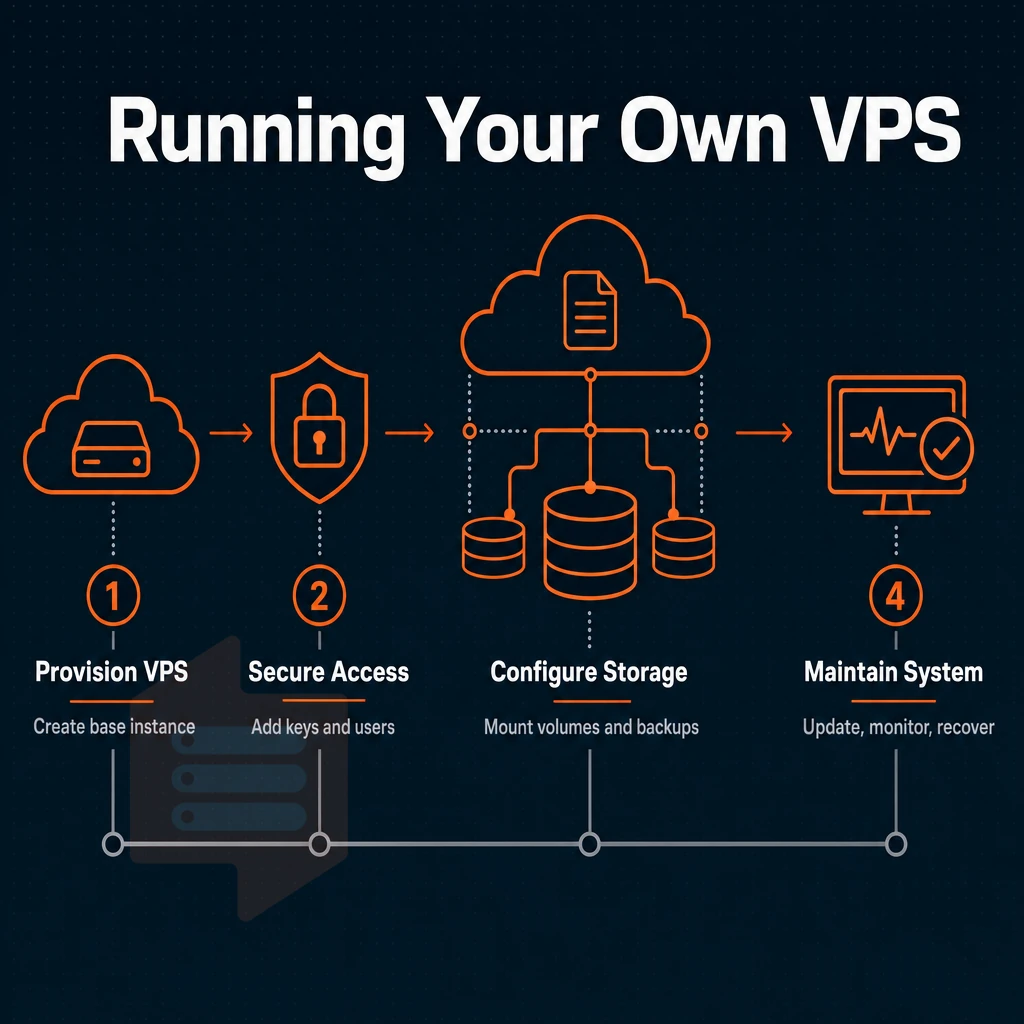
Unmanaged VPS hosting is best suited for developers and sysadmins who require complete control over their server(s). However, you will need to have a good understanding of how to set up the server(s) before you can start provisioning your first server.
Choosing your operating system and connecting
We support many of the most common Linux distributions, including Ubuntu, Debian, AlmaLinux, Rocky Linux, CentOS Stream and Fedora. Advanced users can upload their own ISO for obscure distributions or custom configurations. Simply select your preferred distribution and launch it from your control panel in minutes.
We connect to the server using an SSH client with the root credentials given to connect to the server. One of the first things to do on the server, is to change the root password to a strong and unique password. The VPS hosted on the server are powered by KVM virtualization. Each VPS gets its own kernel, thus the environment is fully isolated and you won’t get any disturbance from noisy neighbors.
Virtual private server tasks from the command line
With full administrator-level access you have complete control over the server. This means that installing software, configuring a web server like Nginx or Apache, changing firewall settings, managing DNS records and more can all be done with standard shell commands. For web developers used to working with LAMP or LEMP stacks, working on a server with a Linux environment will be very familiar.
The self-service control panel has API access for automation as well as in-browser VNC console access should you ever need to access a server when SSH is unavailable. The 99.8% uptime SLA and our multi-homed network with unlimited bandwidth on eligible plans means that your servers will be available when you need them.
Backup management and server administration
Unmanaged means backups are your responsibility. Schedule automated snapshots with rsync or borgbackup, and store copies off-server. BuyVPS in-place upgrades preserve your IP address, so backup scripts and DNS entries stay valid after a plan change. Plan your retention policy before you go live, not after.
The ability to fully control the setup and management of a VPS is a big plus for some models, but not all. It is worth exploring in detail to identify scenarios where an unmanaged VPS would not be suitable for your team.
When cheap unmanaged VPS hosting is not the right choice
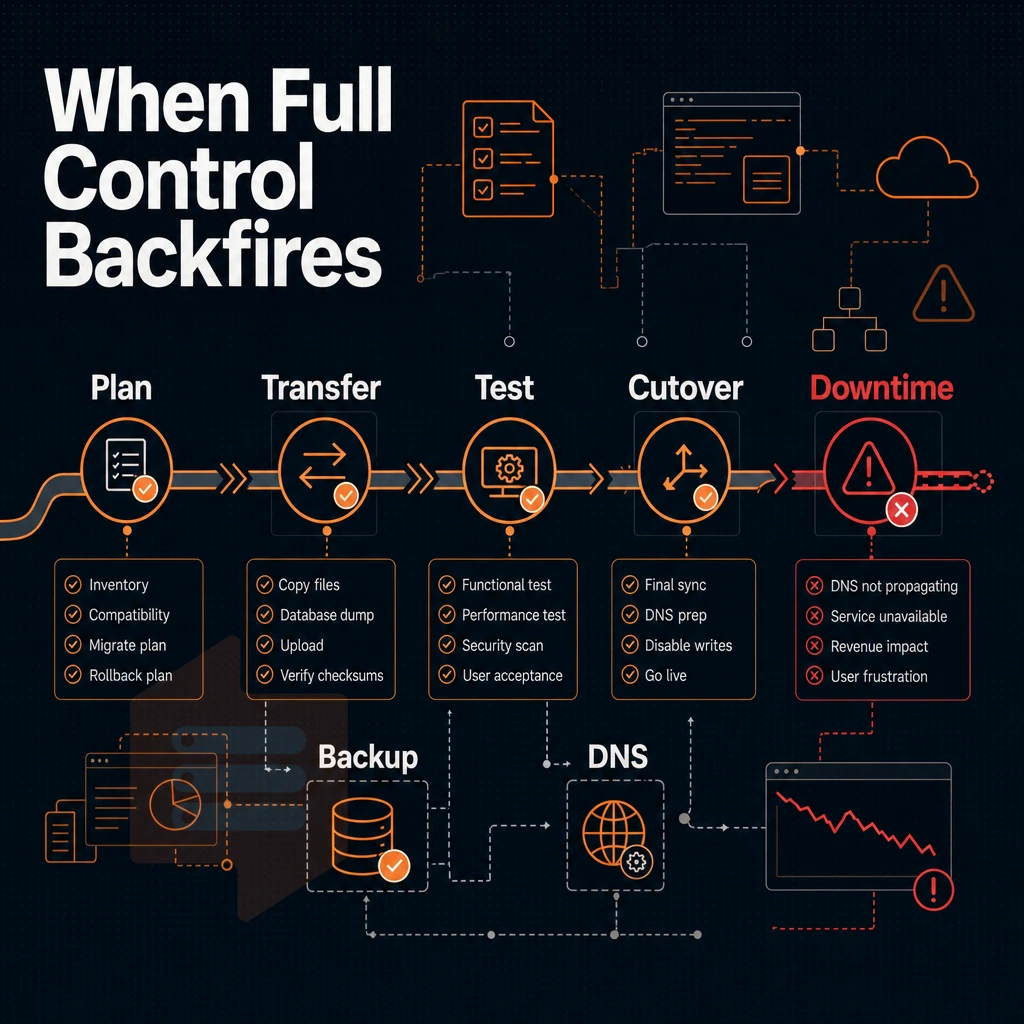
affordable unmanaged virtual server hosting has real value, but for a very specific kind of user. The savings can quickly evaporate to become a net cost, even with higher upfront costs, if your use case doesn’t fit within that narrow profile.
Recognizing the wrong fit for your disk space
-
You have no Linux or server administration experience.
Unmanaged plans hand you a bare server with full system privileges and nothing else. Configuring firewalls, hardening SSH, installing a web stack, these tasks require hands-on Linux knowledge. Without it, you will spend hours troubleshooting what an experienced sysadmin resolves in minutes.
Note: Affordable VPS hosting looks attractive on a spec sheet, but the real cost is your time. If every server task requires external help, the savings disappear fast.
-
Your team has no in-house operating system administrator
Server maintenance, OS updates, security patches, log monitoring, falls entirely on you with unmanaged plans. A team without a dedicated sysadmin will either neglect these tasks or pay a contractor for each one.
-
You need a managed control panel out of the box.
Unmanaged VPS hosting plans do not include cPanel or similar panels by default. Installing and licensing one is an additional cost and a non-trivial configuration task.
When compliance and patching requirements apply
-
Your business requires guaranteed patching cycles.
Regulated industries often mandate documented, timely patching. With an unmanaged server, that responsibility is yours alone. Managed hosting providers handle patching on a defined schedule and can supply the documentation auditors expect.
-
You rely on customer support for server-level issues.
On an unmanaged plan, customer support covers the hypervisor and network, not your OS, software stack, or application errors. If you expect support tickets to resolve PHP misconfigurations or database crashes, you will be disappointed.
Note: Managed and unmanaged VPS differ most sharply here. Managed VPS plans include OS-level intervention; unmanaged plans do not.
How to choose the right VPS hosting plans for your needs
If any of the scenarios outlined above apply to you then cheap VPS hosting on an unmanaged server is not the right starting point for you. Yes, managed hosting may cost more per month but then patching, monitoring and support are all included, things that unmanaged hosting intentionally excludes. You should only pay for the service level your team can handle, not for the lowest price line item.
Although unmanaged VPS servers might be a good choice for you, the real question remains which provider to choose for the handling of your workloads. Here’s why BuyVPS is the perfect choice for you.
Why choose BuyVPS for cheap unmanaged VPS hosting
BuyVPS delivers unmanaged VPS hosting built on enterprise hardware, no corners cut to hit a low price point. Our no-oversell policy enforces hard memory caps and low node density on every host, so the resources assigned to your VPS are genuinely available under real load. That matters when you're running your own server without a managed layer between you and performance.
- True KVM isolation: Every VPS runs its own kernel via KVM virtualization, not a shared kernel. Full complete administrative control and custom ISO upload are standard on every plan.
- AMD EPYC across all tiers: Standard CPU (shared vCPU), Dedicated CPU (pinned cores), and High Memory plans all run on AMD EPYC silicon with ECC RAM.
- NVMe RAID10 PCIe-direct storage: Our published fio benchmark records 122,959 4K read IOPS, measurable, not marketing copy.
- Dual-stack networking in two regions: IPv4 + IPv6 on every VPS, with data centers in Amsterdam and New York running identical hardware and pricing.
- In-place upgrades, no renewal hike: Scale your VPS without IP rotation or migration. The price you sign up at stays the same in year five.
- Engineer-staffed support: Our support team is engineers, no first-tier chatbots routing your tickets.
If you're evaluating unmanaged VPS hosting plans and want hardware quality you can verify, reach out to our team or compare our VPS plans directly at BuyVPS.com.
Those hardware and support commitments are only as reliable as the infrastructure behind them. Here is how our two data center locations are built to deliver on them.
Amsterdam and new york: BuyVPS data centers for EU and US workloads
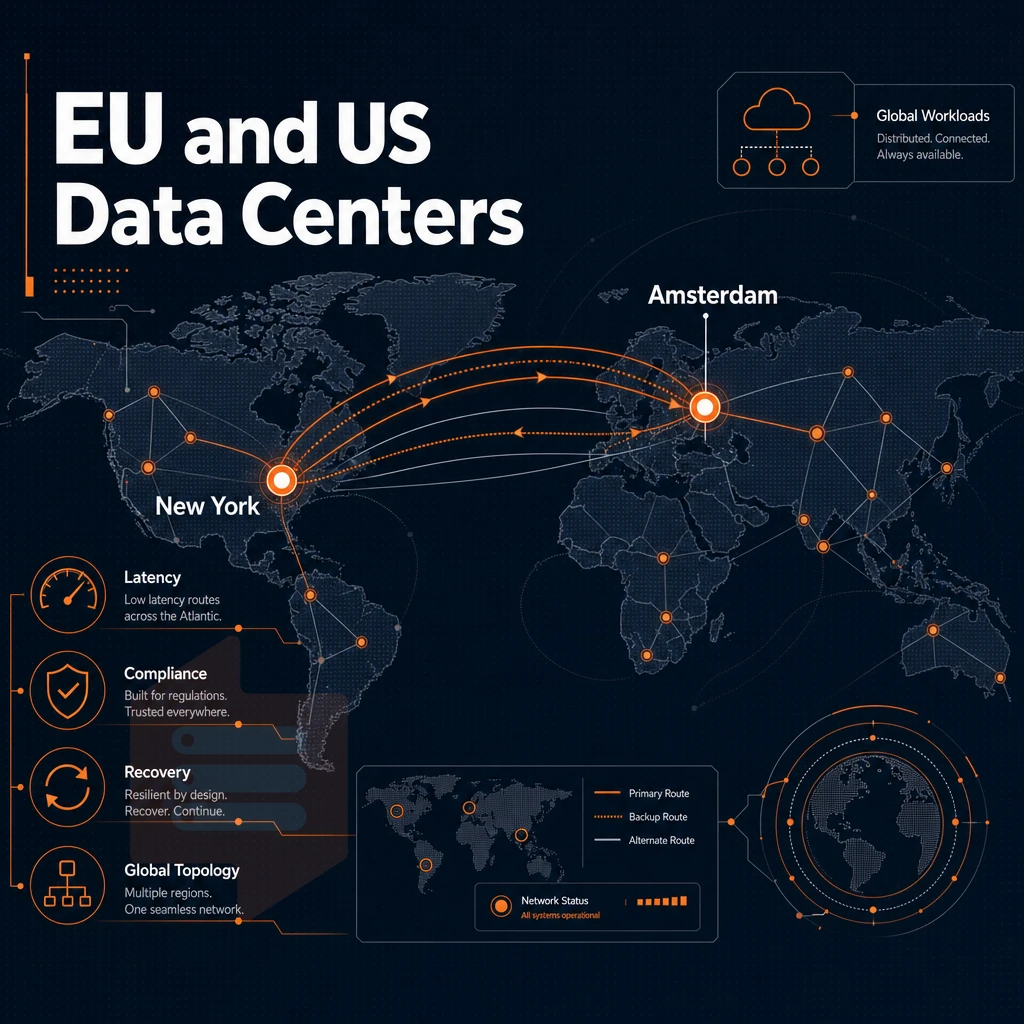
The choice of a datacenter location impacts several important factors including latency, compliance and disaster recovery.
Two data centers, one consistent platform
Amsterdam serves European users with low latency EU routing while New York serves US East Coast users and acts as a hub for transatlantic traffic. Both locations run identical hardware, the same control plane and are provisioned with the same dedicated resources. Therefore a team deploying in Amsterdam gets the exact same resources as a team deploying in New York.
We don't have any secondary sites. Server administration, server settings, and upgrade paths are identical for both our sites. An in-place upgrade of your server means that your server IP address and dedicated IP addresses will remain fixed, no migration or reconfiguration of server s required.
Multi-homed uplinks and free DDoS protection
Our multi-homed network is hosted from two locations. Malicious traffic is blocked by edge filtering before it reaches your VPS. This layer deals with volumetric and protocol-based attacks at the network edge and does not require an add-on.
We guarantee 99.8% uptime SLA in both regions. With a multi-homed architecture, a failure of an upstream network cannot isolate an instance.
Practical deployment guidance
Amsterdam is a great location for EU-resident end users and for workloads sensitive to GDPR. New York is ideal for end users on the East Coast of the US and for workloads that require low latency transatlantic connectivity.
- Server maintenance windows are identically coordinated for both regions.
- KVM isolation with separate kernel for VPS applied everywhere.
- All plans are enabled with IPv4 + IPv6 dual-stack on all locations.
Once the basic infrastructure is covered, it is worth summarizing the general case for unmanaged VPS as a model, and why technically very able people choose to run with it.
The key advantages of unmanaged VPS hosting for developers and sysadmins
Unmanaged VPS hosting gives you full control over your server(s). Most web developers and system administrators work with unmanaged VPS hosting servers running Linux distributions of their choice with any software stacks they require. This is what they are paying for, not some managed hosting service that does things against their will.
Many people incorrectly believe that inexpensive unmanaged VPS is some kind of cost cutting measure. In reality, budget self-managed virtual private server hosting is the preferred method of hosting for experienced users. They require dedicated resources, full sudo privileges and a clean start on a new server. Affordable VPS hosting of this nature is provided by BuyVPS on their Amsterdam and New York VPS hosting nodes, using KVM virtualisation, NVMe storage and have engineer support at your finger tips when required.
Choosing the right cheap unmanaged VPS hosting plan: a quick recap
Choosing low-budget unmanaged VPS solutions comes down to three checks: your Linux command-line comfort, your workload profile, and whether the hosting company publishes real benchmarks. Unmanaged VPS hosting plans hand you full unrestricted root privileges and complete control, no managed services buffer, no hand-holding. Confirm KVM virtualization, NVMe storage, and a documented no-oversell policy before you commit to any VPS plans. DDoS protection and long-term pricing stability matter just as much as raw CPU cores.
If you still need a broader view of cheap VPS options across different tiers and use cases, the cheap VPS pillar page covers the full comparison. BuyVPS offers unmanaged VPS hosting plans from its Amsterdam and New York data centers, KVM-isolated, AMD EPYC-powered, with published fio benchmarks and no renewal hikes.
Unmanaged VPS hosting gives you dedicated resources, full top-level system access, and genuine control over your stack, at a fraction of the cost of managed alternatives. The tradeoff is real: you own the OS, the security patches, and the configuration. If your team has the Linux skills to handle that, you get a powerful, cost-effective foundation that shared hosting simply cannot match.
Provider quality matters as much as the spec sheet. Look for KVM virtualization, NVMe storage, a no-oversell policy, and a network with a published uptime SLA. Cheap should mean affordable, not unreliable.
BuyVPS offers unmanaged KVM VPS plans on AMD EPYC hardware across Amsterdam and New York, with full root access, IPv4+IPv6 dual-stack, and in-place upgrades that never rotate your IP. Browse the plans at BuyVPS.com and find the tier that fits your workload.