


The search for cheap VPS host ing that doesn’t sacrifice performance is tough. The cheap VPS servers are always over-sold virtual machines running outdated shared kernels on ancient spinning hard disks and staffed by non-technical support people answering questions in long ticket queues.
Cheap usually doesn’t cost more but the hidden costs bite hard when you are using the VPS for real work.
This guide explains what you get for your money with VPS hosting and distinguishes between cheap-looking offers and really cost-effective ones. It explains which hardware parameters and types of virtualization matter most when evaluating cheap VPS plans, which commitments to expect from your hosting provider with regard to network and service level agreements.
Additionally, How the total cost of ownership (TCO) of a VPS differs from its monthly rate. The founder-run company BuyVPS (since 2002) with its KVM VPS hosting services on AMD EPYC servers in Amsterdam and New York is used as an example to explain how a no-oversell architecture with hard memory limits per server can completely change the value calculation.
The choice of data centers in Amsterdam and New York provides low-latency connectivity to both European and North American markets, ensuring optimal response times for geographically distributed user bases.
What makes a VPS host genuinely cheap (vs. Just cheap-looking)
In fact, the price of a cheap VPS for a small business advertised on the web rarely is what it really costs in the end, after 12 to 24 months. The price increase on renewal, overage fees and the problems caused by migrations to new servers in the end represent far greater value than the low price of the VPS initially advertised on the web.
First month $1
Then the normal monthly price. One per customer. No setup fee, and a 30-day performance guarantee on your first order.
See the plans“BuyVPS offers simple and reliable VPS hosting solutions for different online needs.”
The hidden costs that inflate your bill
Even seemingly affordable options from VPS hosting providers can transition into unaffordable hosting by the time month 13 rolls around, thanks to the initial promo rate hiked by your provider for the subsequent term.
Many providers charge exorbitant bandwidth overage fees. At first a VPS may seem cheap but then charges start rolling in when usage spikes. Even simple items like SSL certificates, control panel licenses and dedicated IPs are frequently sold as separate add-ons to a base VPS price rather than being included by a transparent provider in their standard fees.
Some hosts also impose fees for additional ip addresses beyond the first one included with your plan. Providers that include generous bandwidth in their base plans eliminate the risk of surprise charges during traffic spikes. A reputable provider will include an ssl certificate at no extra charge, ensuring encrypted connections without forcing you to purchase third-party certificates separately.
Less obvious, but equally real are the costs associated with migration to another provider. When switching between cheap VPS providers, the costs include time spent migrating workloads, potential for downtime, associated engineering hours, and new IP addresses that may cause issues with DNS, email and application configurations.
Best cheap VPS: what the label should actually mean
What we mean by cheap is a VPS that has low total cost of ownership even if the initial price is not the lowest on the market. Providers offering transparent pricing with no renewal hikes or hidden add-ons typically deliver the best value over a multi-year period. Our commitment to transparent pricing includes a 30 day money back guarantee, allowing you to test performance and support without financial risk.
- No price increase on renewal, same rate in year 3 as year 1.
- Included bandwidth with no overage surprises.
- In-place upgrades without IP rotation or forced migration.
- No hidden add-on fees for standard features.
We price our plans at BuyVPS to lock in a low price forever. We also back every plan with a 30 day money back guarantee, so you can test performance risk-free before committing long-term.
Low cost VPS hosting vs. Oversold shared infrastructure
Overselling is the biggest problem with cheap VPS hosting. A host can put too many accounts on a server and then there is CPU and RAM contention between users. The most affected by this are resource intensive applications such as databases, compilers and high load APIs. They consume all the buffer space and run slowly due to other “noisy” users on the same server.
I enforced hard memory caps per node and kept node density low to ensure that a low cost VPS actually performs well, as opposed to just looking cheap on a pricing page. Understanding the technology behind VPS and why certain architectural decisions were made will help in comparing VPS providers in future articles. Geographic placement of data centers also influences latency and compliance, so selecting a provider with facilities near your user base can reduce response times significantly.
How VPS hosting providers power your virtual private server
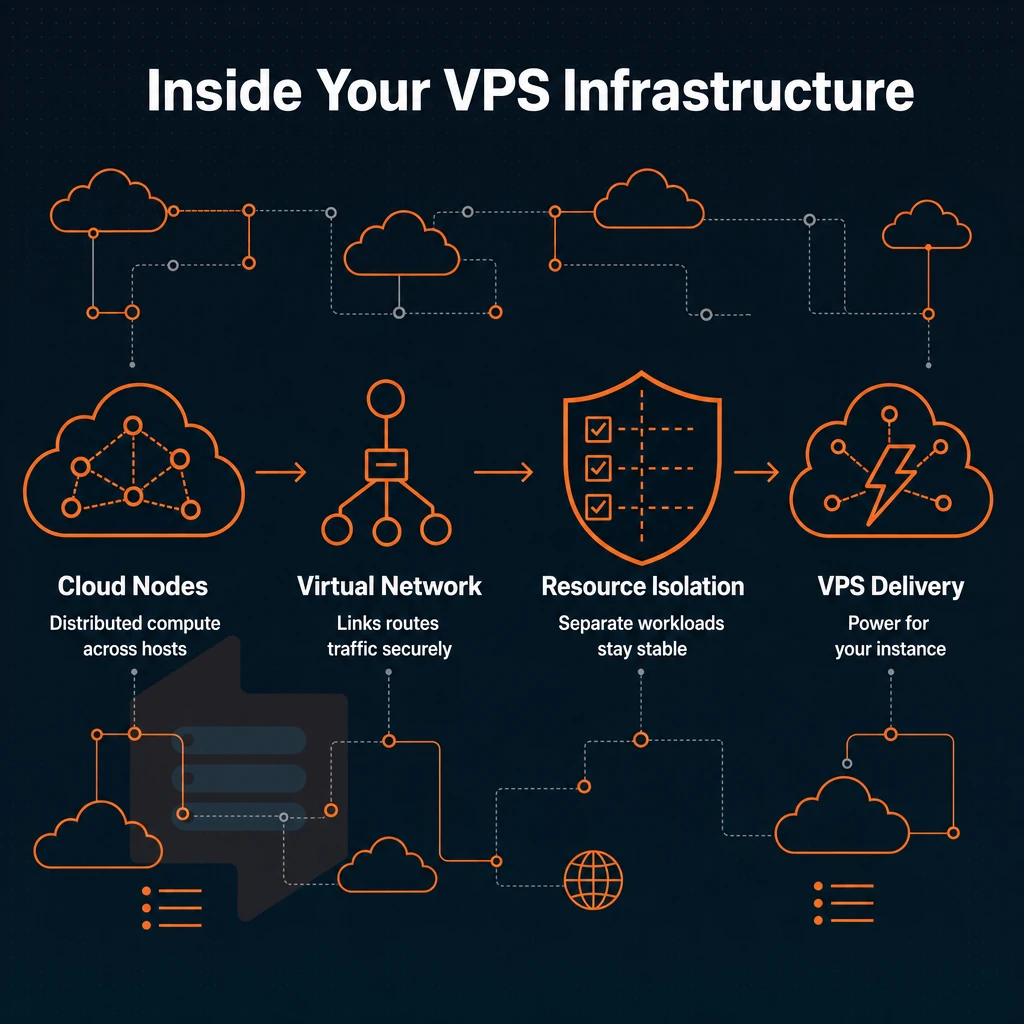
A Virtual Private Server (VPS) offers an alternative between shared hosting and a dedicated server. On one game server, which also handles dns management, there are multiple virtual environments (even virtual kernels) running in isolation from each other, with fixed amounts of RAM and CPU power. We explain you the ins and outs of VPS hosting so you can choose the right package for your needs.
This isolation ensures that multiple instances can coexist on the same hardware without interfering with each other's performance or security boundaries. Each web server instance operates with its own allocated resources, preventing the noisy neighbor effect that plagues traditional hosting arrangements.
How virtualization splits one machine into virtual servers
KVM (Kernel-based Virtual Machine) is the virtualization hypervisor for KBOX environments.
Our plans are set up to run on KVM with each VPS having its own kernel.
What virtual servers give you that shared plans don't
As opposed to shared hosting. There, Hundreds of accounts are hosted on a single server and all resources are pooled, VPS hosting allocates a fixed set of resources (e.g. vCPUs, RAM, storage on NVMe SSDs) to a virtual server. Because these are fixed, the performance will not degrade as other users on the server utilize up more of the resources.
Modern ssd storage delivers consistent read and write speeds that eliminate the I/O bottlenecks commonly experienced in traditional spinning disk configurations. Entry-level plans typically start with 240 gb of disk space, which suffices for most small business websites and development environments.
| Dimension | Shared hosting | VPS (KVM) |
|---|---|---|
| Resource isolation | None, pooled | Hard caps per node |
| Kernel | Shared | Separate per VPS |
| Uptime SLA | Varies | 99.8% (BuyVPS) |
| Root access | No | Full |
Operating system choice and control
With full root access you have full control of all layers. Choose from Ubuntu, Debian, AlmaLinux, Rocky Linux, CentOS Stream or even Fedora. Upload your own ISO as well. Our self-service panel with API access and in-browser VNC allows for reboots, re-installs and monitoring without needing a support ticket. The panel also includes automated backup features that let you schedule snapshots and restore your VPS to a previous state without manual intervention.
The intuitive control panel setup streamlines initial configuration, letting you deploy your first virtual machine within minutes of account activation. Effective server management begins with these foundational controls, enabling administrators to patch vulnerabilities, optimize configurations, and maintain uptime without relying on external support teams.
A cheap VPS can suffer from poor isolation or support, but at BuyVPS we keep our node density low and route all tickets to real engineers, not bots. If you’re currently running on shared hosting and wonder whether the switch to a VPS would help, the next section outlines the scenarios in which it would.
Our team provides phone support during business hours to ensure you can reach a human engineer when troubleshooting urgent issues. Effective server management requires both responsive technical support and a stable platform, which is why we prioritize low node density alongside direct engineer access. We back every plan with a 30 day money back guarantee, giving you a full month to test performance and support quality risk-free.
Shared hosting vs. VPS hosting: when you've outgrown shared
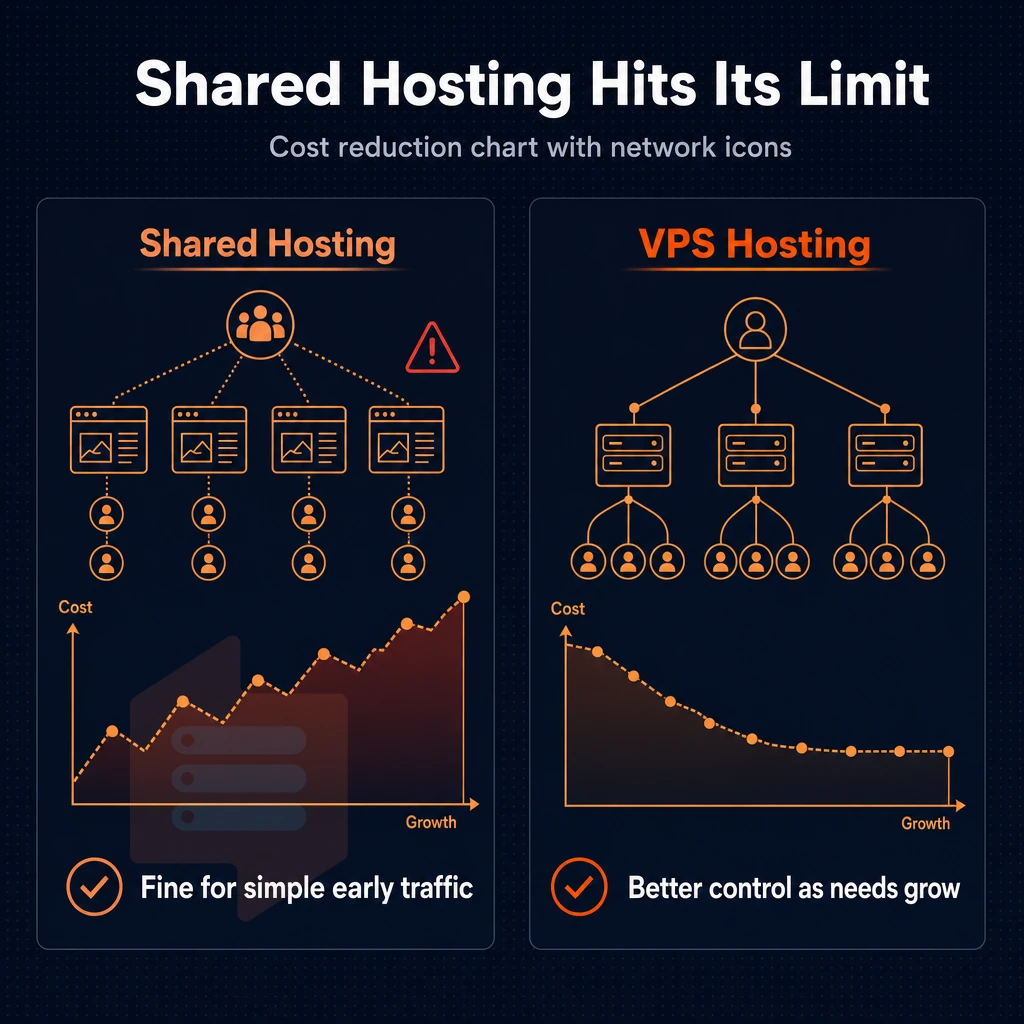
At first, shared hosting is fine, but as traffic increases and more demanding applications are added, things start to break quickly. By recognizing the limits of shared hosting and the advantages of VPS hosting early on, you can avoid slow loads, crashed deployments and serious security holes.
High traffic apps in particular expose the resource contention inherent in shared environments, where CPU throttling and memory limits can cause unpredictable failures. Modern web applications often require dedicated CPU cycles and guaranteed memory allocation that shared environments simply cannot provide reliably.
Recognizing the signs of strained server resources
When hundreds of accounts are running on a single physical server, all accounts on that server are competing for the same set of server resources. One very busy neighboring site can impact how fast your application responds. Unlike virtualized environments that share physical hardware efficiently, this model creates bottlenecks because the underlying machine lacks the isolation mechanisms needed to prevent resource contention. Migrating to a VPS eliminates this contention by carving out a guaranteed slice of the physical server exclusively for your workloads.
- Monitor CPU and memory usage under load. Your application’s attempts to use up all available resources during high usage periods will quickly reveal if the environment is capping your use of resources or if your code is not suitable for your chosen environment. A shopping cart in an e-commerce application or an application processing images are two examples of high resource usage applications.
- Check your error logs for 503s and timeouts. Repeated gateway errors during traffic spikes are a direct signal that the shared environment can't absorb demand. Note: Caching plugins mask the symptom but don't fix the root cause.
- Auditing your deployment requirements will reveal whether your stack requires a particular version of PHP, custom kernel modules or even multiple runtime instances, none of which are possible in shared hosting.
Evaluating VPS hosting plans from top providers
When you notice these signals, it is time to start to compare VPS hosting services to your needs, beyond the marketing material of initial specifications.
- Dedicate the correct level of service to the appropriate workload. We offer shared-vCPU VPS hosting suitable for general web hosted applications as well as pinned-core VPS and dedicated servers all hosted on AMD EPYC hardware in our Amsterdam and New York datacenters, respectively.
- Check for guarantees of isolation. Look for a hard memory cap and low node density. We enforce both of these at BuyVPS, we don’t engage in any form of overselling and you will never suffer from noisy neighbors.
Migrating to a VPS hosting server
A VPS server allows you to have full root access, a dedicated kernel and fully controlled environment.
- Recreate your stack in a staging environment first. Setup your VPS, install the OS and verify all required packages before cut-over to DNS.
- Apply security patches immediately as you are responsible for the patch cycle for your VPS and not the managed shared environment hosting it. Set up unattended upgrades or schedule a maintenance window within the first 24 hours of bringing the VPS online.
- Test under simulated load before go-live. Use a tool like
aborwrkto confirm the new environment handles your peak traffic without degradation.
After you decide to move from shared hosting to a VPS, choosing the right server tier for your workloads has the greatest impact on your performance on an ongoing basis. Resource allocation becomes a major factor when selecting between entry-level and mid-tier plans, as CPU core count and RAM directly determine how many concurrent processes your applications can handle. Selecting the appropriate virtual private server tier requires evaluating both current workload demands and anticipated growth over the next twelve months.
The three VPS tiers: standard, dedicated-core, and high-memory
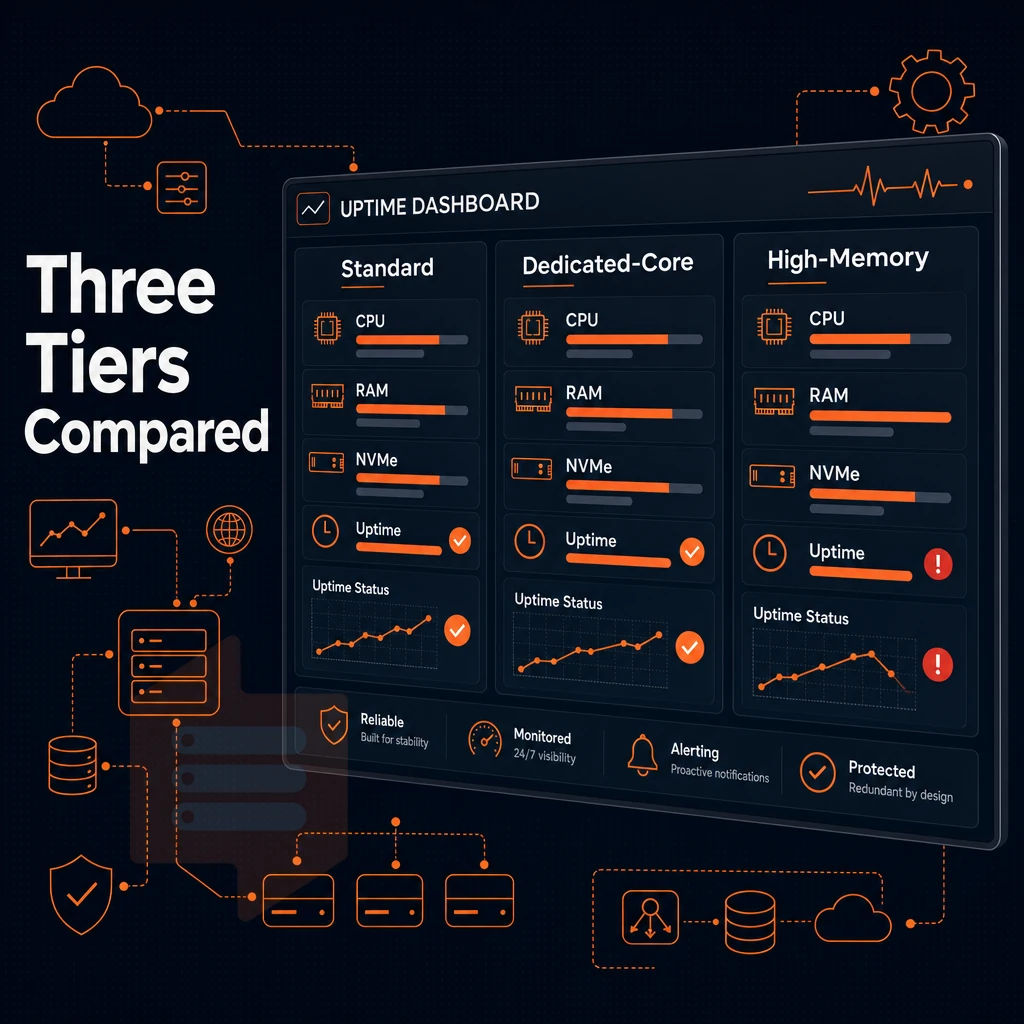
Workloads and VPS plans are not created equal. We have defined three tiers of VPS plans (Standard CPU, Dedicated CPU and High Memory) that all have different performance profiles. Choosing the right tier to run your workloads depends on the hardware architecture that your workloads actually run on.
Matching your workload profile to the correct tier ensures you get the best value without paying for unused capacity or suffering from under-provisioned resources. For instance, a Standard CPU plan with 240 GB of disk space suits content-heavy sites and small databases, while Dedicated CPU tiers with the same 240 GB allocation better serve compute-intensive applications that require consistent processing power.
Standard CPU tier: shared vcpu on Amd Epyc milan
The Standard tier is designed to run shared vCPU threads on AMD EPYC Milan processors with DDR4 ECC memory and fast NVMe storage in a RAID10 array.
Hard memory caps per node means you don’t run into noisy-neighbor RAM contention which is a common problem on cheap VPS plans that over-sell resources. Full root access, you can apply security patches of your choice without having to wait for some managed layer to get around to it.
Dedicated CPU tier: pinned cores on Epyc genoa
Dedicated tier upgraded to AMD EPYC Genoa processors with DDR5 ECC memory. All Dedicated resources are fully dedicated, dedicated cores are pinned to the account and not shared with other accounts. This is particularly important for latency-sensitive workloads (real-time APIs, CI/CD builds, game servers).
Often confused with a dedicated server, our Premium Server offering is not a bare metal server. Instead, it delivers single-threaded predictability comparable to a dedicated server by running a VPS server on pinned KVMs atop Genoa silicon, all without the licensing costs associated with underutilized hardware.
High memory tier: 1:8 vcpu-to-ram ratio
High Memory tier is optimized for in-memory databases, analytics and large JVM workloads.
Our “cloud servers” are not just RAM-upgraded generic cloud servers. NVMe SSD storage for overflow and persisting data as well as our no-oversell node density policy apply to all tiers of servers. IPv4 + IPv6 dual-stack as well as in-place upgrades without IP rotation apply to all tiers of servers as well. Read about the underlying storage and network infrastructure for all tiers of servers.
Storage and network: NVMe raid10, dual-stack IP, and DDoS protection
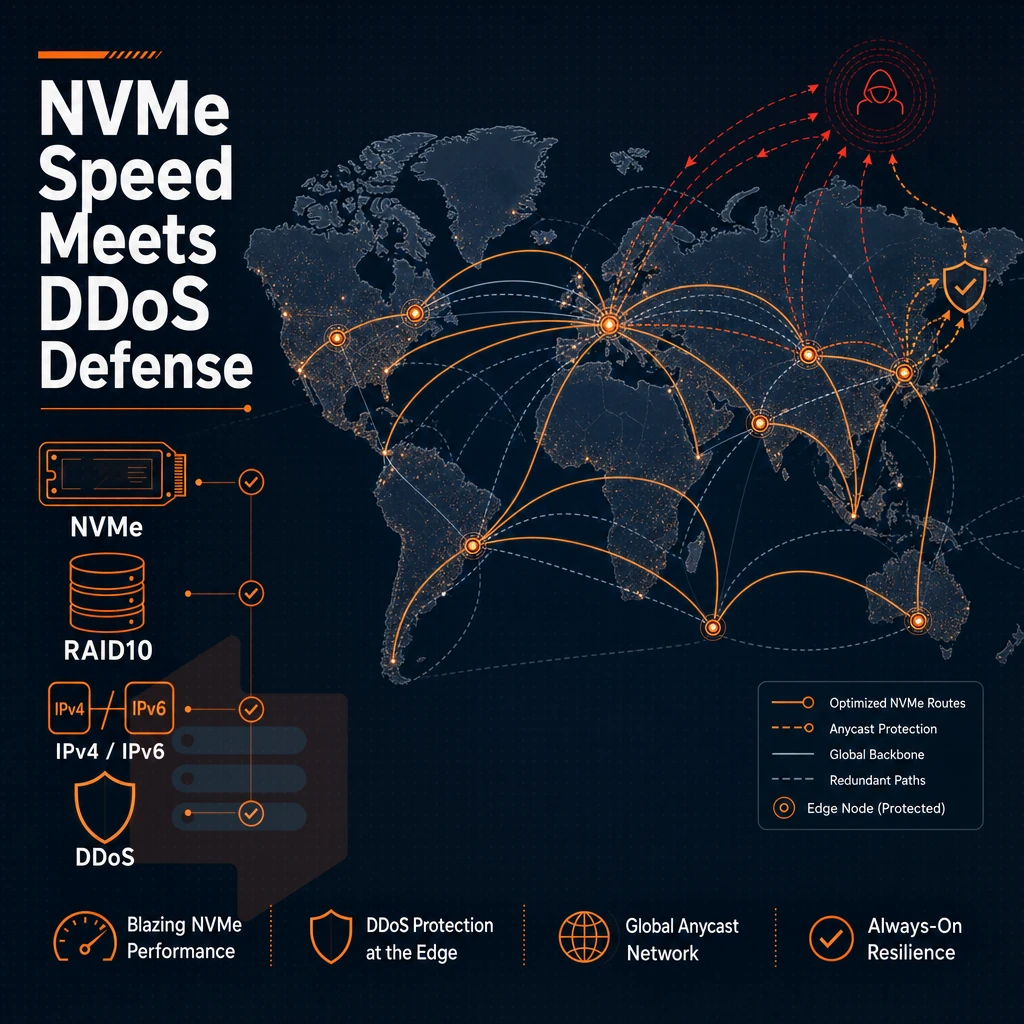
When it comes to cheap VPS hosts, performance under real load is usually much worse than what’s promoted on the specs page. We design storage and network to eliminate typical bottlenecks in overly crowded servers.
NVMe SSD storage with verified benchmarks
All plans use NVMe SSD storage on RAID10 over PCIe direct connections (no slow SAS shared backplane here). The fio median benchmark for 4K read IOPS is 122,959, very useful for databases, caching etc. that are subject to a lot of random reads.
The main difference to other providers storing primary VPS data in object storage is that we store all VPS data on local NVMe arrays. Lower latency, no API calls, better performance under load.
Network throughput, dual-stack IP, and DDoS protection
All of our uplinks run multi-homed between Amsterdam and New York.
Our DDoS protection is implemented as edge filtering at the network perimeter. That means to keep your application online during peak traffic, we filter traffic to your VPS prior to it reaching your server, no need to get involved.
Bandwidth and the no-oversell policy
Our plans include plenty of bandwidth.
Our 99.8% uptime SLA is a contractual commitment to deliver this and the other service level agreements we’ve outlined.
Server locations: amsterdam and new york latency strategy
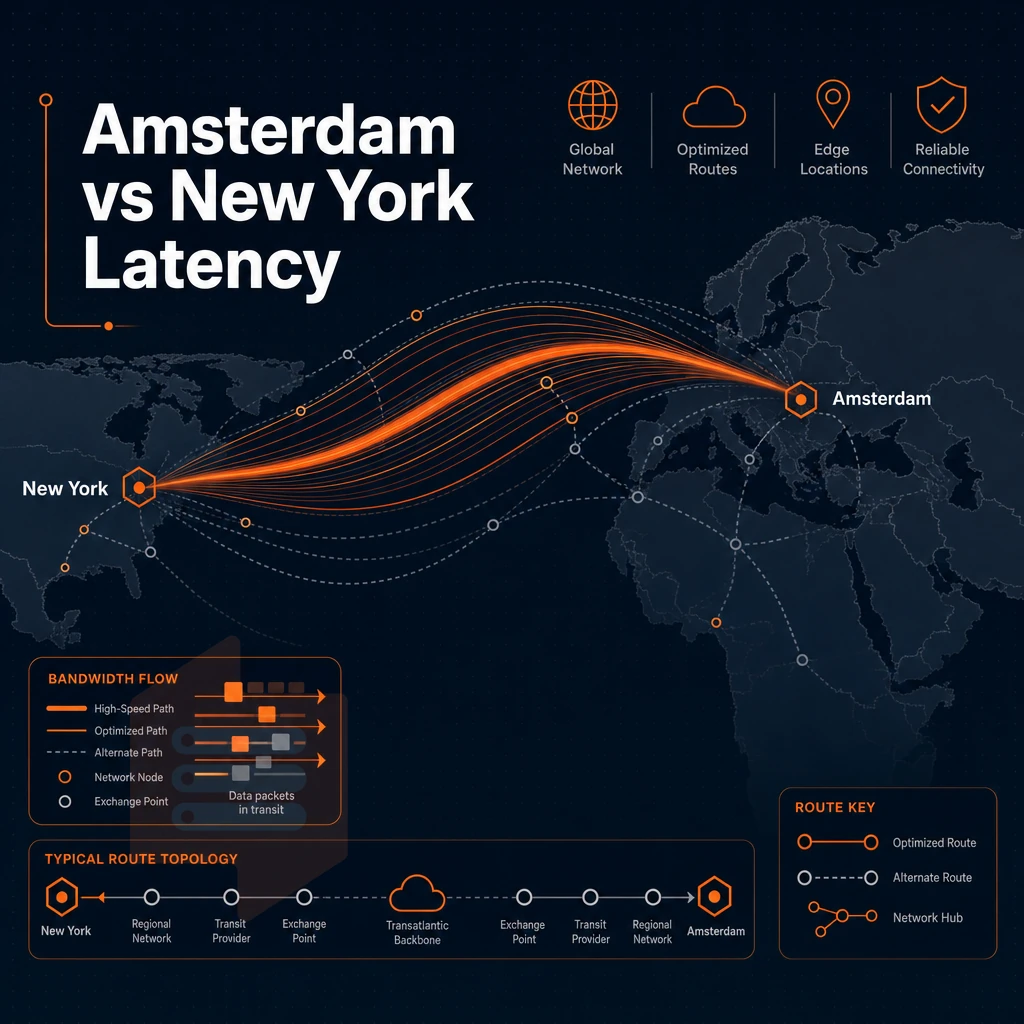
Choosing a data center location is one of the most important decisions when buying a VPS. BuyVPS operates two data centers: one in Amsterdam and the other in New York. Both locations offer very low latency to Europe and North America respectively. Both locations run identical hardware, control systems and billing terms. The choice is therefore geographical in nature.
Two data centers, one consistent standard
Amsterdam is great for covering EU users as well as audiences that are mostly based in Western Europe. New York is great for serving East Coast US audiences and gets Latin America covered much faster than from any European location. We’re talking SSD storage, NVMe RAID10 and AMD EPYC processing power.
Latency: Average round trip from a London based endpoint to Amsterdam is under 10ms. For apps handling unlimited traffic at scale on any VPS provider, these numbers compound extremely quickly as each millisecond of database round trip time is multiplied by thousands of requests per second.
Choosing your region as a VPS hosting provider decision
Pick a node near your primary user base.
Both locations offer full root access, IPv4 + IPv6, KVM virtualization and full control over your servers via our self-service panel and API. SSD storage performance is consistent across both locations and was measured with fio to 122,959 4K read IOPS.
Quick decision guide
| Audience location | Recommended node | Expected RTT | Uptime SLA |
|---|---|---|---|
| Europe / UK / MENA | Amsterdam | <10 ms (London) | 99.8% |
| North America / LATAM | New York | <5 ms (NYC) | 99.8% |
If your users are located on both sides of the continents, set up one node on each side of the earth. In-place upgrades of VPS servers preserve your IP when scaling and do not require DNS changes or migration downtime.
Unmanaged vs. Managed VPS plans: which is right for you?
Choosing between self-managed and fully assisted server hosting decides how much time and skills you want to spend managing your servers on a daily basis.
Assess your technical baseline
- Audit your Linux skills. Running a linux VPS without provider assistance means you own every layer: kernel updates, firewall rules, package management, and log monitoring. If those tasks are routine for you, self-management is a natural fit.
- Plan your time budget. Server management is not a one time activity, it is ongoing work. Estimate how many hours a week you can use for things like patching and hardening before you decide on a model.
Understand what each hosting provider delivers
- An Unmanaged VPS is the ultimate in control for your server. An Unmanaged VPS is a Virtual Private Server where the VPS provider only supplies the server hardware,IP address, bandwidth and physical machine hypervisor (such as Xen or KVM). All other aspects of the server such as Operating System updates, security patches and setting up a control panel are your responsibility to manage. BuyVPS offers Unmanaged VPS with full root access, custom ISO uploads and KVM isolated servers. Our engineers are on hand to answer any questions or aid with problems but will not manage the server on a day to day basis.
- Managed VPS hosting, let the provider deal with admin tasks. With managed VPS hosting, you can hand over tasks such as patching, monitoring and backups to the provider. There are alternatives on the market that also include a control panel and personal support for a price. The alternative is less flexible but reduces the administrative overhead.
Note: Opting for a managed tier to avoid Linux work, then disabling provider access, defeats the purpose and leaves your server in a grey zone, neither fully managed nor properly self-administered.
Make the call on virtual servers
- Self-managed is the best option for you if you have Linux experience, need full control over the stack and don’t want to pay extra for something you can do yourself.
- Use assisted management if your team doesn’t have enough sysadmin expertise or if your compliance requirements need to be fulfilled by a provider in documented patchwork cycles.
Now that you know how much administration any web hosting provider is going to take on, you can look at individual providers and use this checklist to see what you need to check before committing to them.
What to look for in a cheap VPS provider: a buyer's checklist
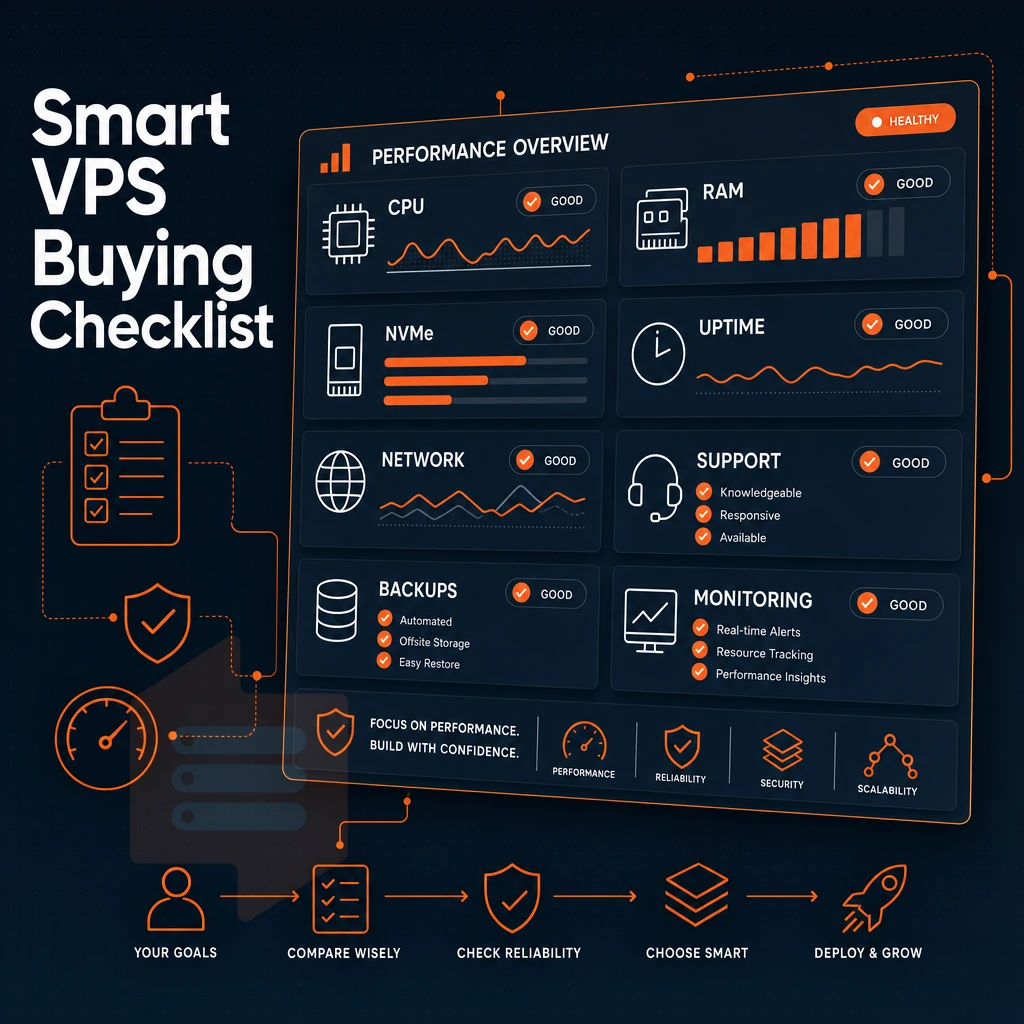
To find a good cheap VPS host and avoid a lot of headaches with a very cheap VPS, there are a few key decisions that a potential host makes before you sign up. I have outlined a checklist for evaluating cheap VPS hosting providers below.
Virtualization, hardware, and no-oversell policy
KVM virtualization is what we consider to be the minimum virtualization setup to run VPSes. Each VPS gets to run its own kernel, has real memory allocated to it. Additionally, Gets to be scheduled on the CPUs like any other normal system, rather than as part of some shared pool that collapses under load. Containers and paravirtualized systems can appear to specification similar to KVM but actually behave very differently in real world performance tests.
A no-oversell policy is equally important when choosing a VPS provider, and you should check if the host in question really enforces hard memory limits per node and keeps the node density low. Many other providers put dozens of tenants on one server and rely on most of them being idle.
Pricing transparency and upgrade path
One of the oldest tricks in the hosting book is to increase the price of a renewal after a certain time (e.g. month one vs. year three).
A day money back guarantee for the first billing period is usually offered by providers who have confidence in their product. Short or absent trial windows indicate the opposite.
OS flexibility, control panel options, and support quality
Full root access and a wide range of available Operating Systems (Ubuntu, Debian, AlmaLinux, Rocky Linux, Fedora) as well as upload of custom ISO images for servers are all important to cover all use cases. When choosing a control panel for your VPS platform, look for a self-service panel with a real API, not just a nice-to-look-at dashboard that does not have any programmable surface.
When it comes to support quality, engineers who directly reply by email or phone are a lot better than being stuck in tiered levels of chatbots.
BuyVPS checks all of the above boxes: they offer KVM VPSes with a separate kernel for each VPS. Hard memory limits, in-place upgrades without IP change, full OS choice including ability to upload custom ISOs, API access. Additionally, Top-notch support by experienced engineers in Amsterdam and New York.
Why choose BuyVPS for cheap VPS hosting
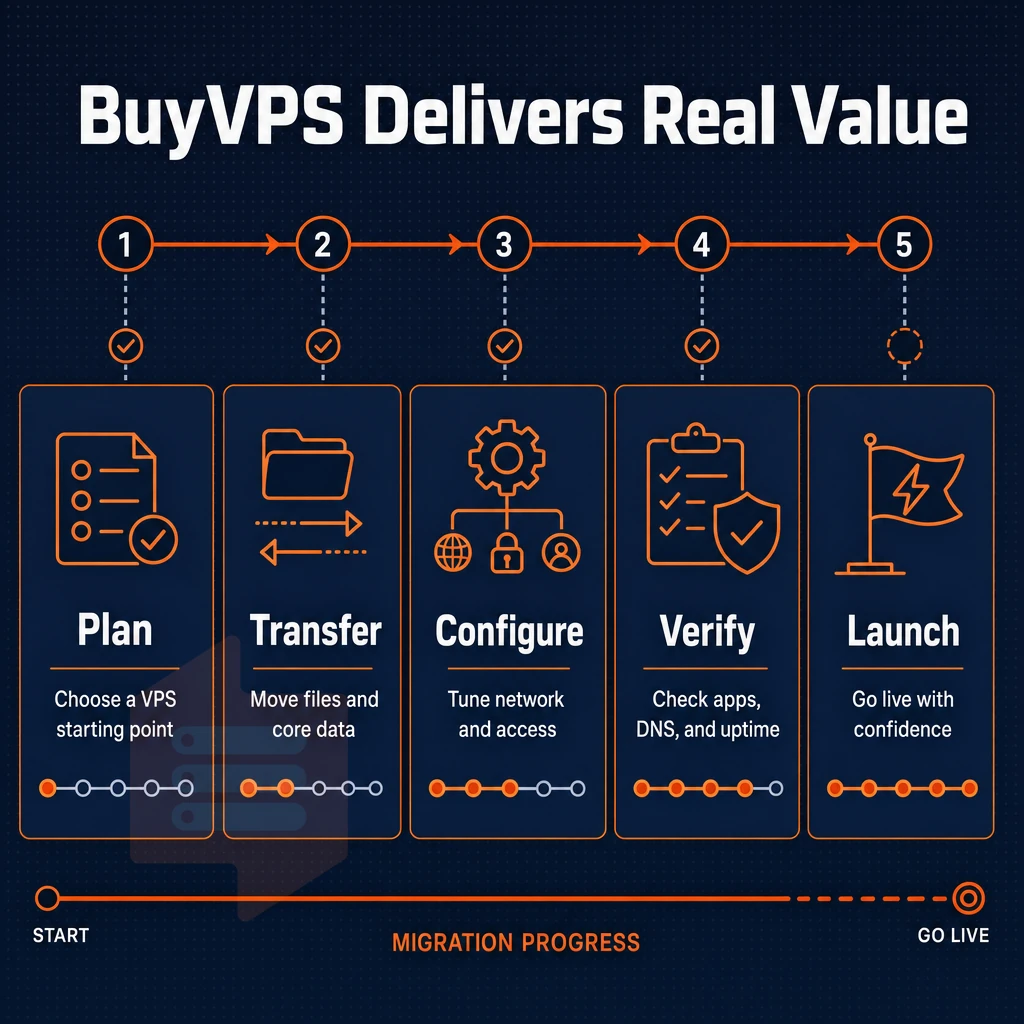
Finding a cheap VPS host that doesn't trade performance for price is harder than it looks. BuyVPS is a founder-run hosting company operating since 2002. We build every virtual private server on AMD EPYC hardware with NVMe RAID10 storage, measured at 122,959 4K read IOPS in real-world fio benchmarks. That's not a marketing claim; it's a published number.
Our VPS hosting plans are engineered around a no-oversell policy. Hard memory caps and low node density mean your virtual server gets the resources it's allocated, not whatever's left after neighbors spike. KVM virtualization gives each VPS a separate kernel, so your server environment stays isolated at the hypervisor level.
- Full root access on every plan, complete control over your operating system, software stack, and configuration from day one.
- NVMe RAID10 storage, fast NVMe storage with redundancy baked in; no shared spinning disks dragging down your VPS.
- Pinned cores on the Dedicated tier, consistent performance under load, not shared vCPU contention.
- No renewal hike, the same price in year five as year one. Most cheap VPS providers quietly raise rates at renewal.
- In-place upgrades, scale your VPS plan without migration or IP rotation.
- Data centers in Amsterdam and New York, identical hardware, control plane, and pricing in both regions.
If you've outgrown shared hosting or want a best-value VPS with engineers on support, reach out to the BuyVPS team to compare VPS hosting plans for your workload. To see those strengths applied to real scenarios, the next section maps each use case to the tier that fits it best.
Common use cases for a cheap VPS server host
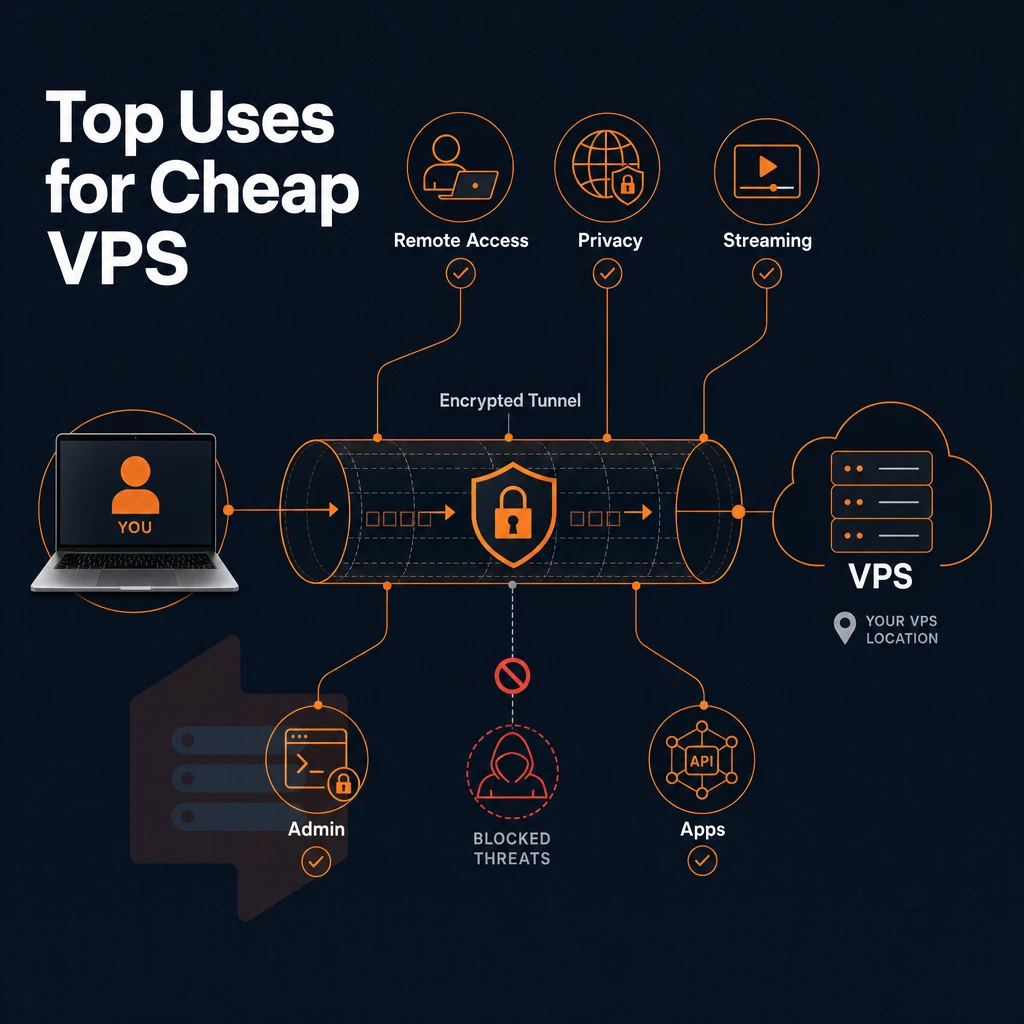
Cheap VPS hosting covers a lot more workloads than most expect. With isolated servers, root access and dedicated resources, it’s a cheap step up from shared web hosting for many users. It makes a great cost effective alternative to full cloud servers for many common tasks.
Infrastructure and networking use cases
Managing a DNS for your websites is one of the lighter administrative tasks that a VPS can handle well. Even a low resource instance can serve as an authoritative nameserver for dozens of domains with responses in sub-millisecond times. A proxy server or VPN endpoint also benefits from a VPS by having a dedicated IP address and fixed bandwidth, allowing you to configure the operating system's routing rules, firewall and exit node to your requirements.
Game servers require low-latency networking and sufficient CPU power to run smoothly. shared server environment does not offer either of these features. With a VPS that offers pinned or reserved cores for example, the tick rates remain stable even when many players are connected concurrently.
Application and web server workloads on a VPS server
When a shared server can no longer scale with your growing team, one of three ceilings tends to get in the way: RAM, connections or I/O. A VPS with NVMe storage and fixed memory is a shield against all three ceilings. Running a web server for a highly-active web application (e.g. 10,000+ visitors per day) suddenly becomes solid instead of flaky.
You can have multiple staging, QA, and production environments running off of a single VPS, or even a small pool of VPSes. Resource-hungry apps such as video transcode, AI inference, or large-scale data processing also run well here.
Developer environments and object storage front-ends
A clean server environment for dev and staging helps to avoid the well-known “it works on my machine” problem. Front-ends for object storage, like proxying APIs, caching files or hosting media, can run quite well on a mid-tier VPS with plenty of outbound bandwidth.
For all of the mentioned workloads we offer KVM isolated servers in our Amsterdam and New York data centers. All servers are offered with full root access, in-place upgrades and managed servers through a web-based control panel as well as a full API. We don’t over-spec servers for specific workloads which are all covered by the below takeaways. Use this to compare hosting options prior to making a purchase.
Key takeaways: finding the best value cheap VPS for your needs
Cheap VPS hosting is only cheap if the renewal price holds and the specs match your workload. Evaluate total cost of ownership, not the headline rate. KVM virtualization with dedicated resources outperforms shared-vCPU setups for resource-intensive applications, so match the tier to the job: Standard for general workloads, Dedicated CPU where latency matters, High Memory for data-heavy services. Confirm the upgrade path before committing; seamless in-place upgrades protect your IP and eliminate migration risk.
For low cost VPS that stays consistent, verify DDoS protection, NVMe SSD storage, and complete root access are included, not add-ons. Pick a data center location closest to your audience. BuyVPS delivers virtual private server hosting from Amsterdam and New York on AMD EPYC hardware, with no-oversell architecture and the same price at renewal. That is what best cheap VPS actually looks like.
The core advantages of a reliable cheap VPS host
A reliable cheap VPS host gives you what cheap shared server environment can’t deliver: reserved resources on fully isolated virtual servers, full superuser access. Additionally, The ability to run any Linux distribution or even custom ISO images, all without the costly licensing fees of a. dedicated server. Cheap VPS hosting plans are scalable as you need them, billing is always on a per unit basis, and a traffic spike will not bring down your neighbor’s websites.
BuyVPS backs that promise with AMD EPYC hardware, NVMe RAID10 storage, and hard memory caps that prevent oversell, in Amsterdam and New York. As a cheap VPS hosting provider operating since 2002, the fundamentals haven't changed: engineer-led support, in-place upgrades with no IP rotation, and the same price at renewal. Explore every tier on the cheap VPS page and pick the plan that fits your workload.
Genuine value in a cheap VPS host comes down to three things: predictable performance under real load, transparent pricing with no renewal hikes, and hardware that doesn't cut corners on RAM, storage, or network. A web hosting plan priced low but running on an oversold web server, spinning-disk storage, or single-stack networking will cost you more in downtime and migration headaches than you saved upfront.
NVMe RAID10 storage, KVM isolation with separate kernel per VPS, dual-stack IPv4/IPv6, unlimited traffic (etc), these are not extras that one has to pay for when one needs serious workloads.
BuyVPS runs AMD EPYC hardware across both Amsterdam and New York, with hard memory caps per node and in-place upgrades that never rotate your IP. Browse the Standard, Dedicated-Core, and High-Memory plans and pick the tier that matches your workload.